


 Price Guarantee
 Installment calculator
4,9%
interest
from 11.02 € monthly
Installment calculator
4,9%
interest
from 11.02 € monthly
34" Philips 34B2U5600C
This 34" Philips LCD monitor allows you to work in Ultra Wide QHD (3440×1440) resolution. Its VA panel offers deeper blacks, which is a result of the high contrast. This ensures better visibility of objects even in darker areas. It displays data with 8-bit colour depth, which is the standard for most display devices. You can take advantage of all this not only when creating logos and banners, but also, for example, when editing videos. The anti-reflective surface of the display reduces glare and increases visibility in various lighting conditions. The wide-screen monitor with a 21:9 aspect ratio is great for multitasking or streaming, as it allows you to have multiple windows open side-by-side. The VA panel is backlit by LEDs. The maximum brightness of 300 cd/m² is a good choice for working out of direct sunlight and is also suitable for spaces that are not too brightly lit. It can be mounted using VESA 100×100 mounts to a wall or a stand. This makes it easy to install multiple monitors in your workspace.
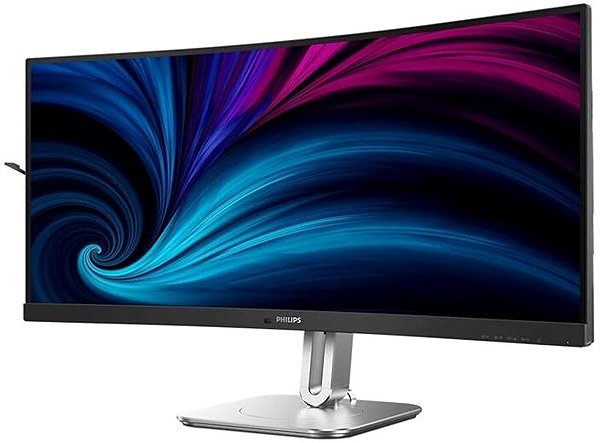
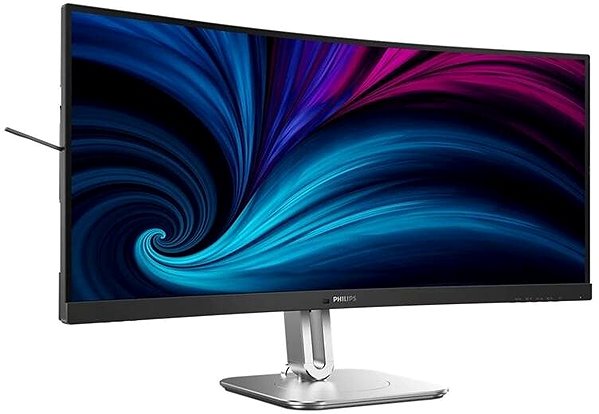
Key Features of the 34" Philips 34B2U5600C Monitor
- Work efficiently with this 34" Philips LCD monitor with Ultra Wide QHD (3440×1440) resolution
- Uses a VA panel with a refresh rate of up to 120Hz and a 4ms response time to display colours
- Anti-reflective display surface minimises glare
- The wide-screen 21:9 aspect ratio offers expanded space for multitasking
- Its 8-bit colour depth covers the needs of working with JPEG images
- The maximum brightness of 300 cd/m² is designed for working out of direct sunlight and in less brightly lit rooms
- Curved monitor design
This Philips Monitor Boasts Interesting Properties and Functions
The 34" VA PC monitor stands out with its curved display design, which is more natural for the human eye thanks to an optimal field of view. After work, it will also help you relax with a film or while gaming. You can adjust the monitor to your preferences so that its top edge is at eye level, helping you maintain correct posture, which minimises strain on your cervical spine and reduces the risk of scoliosis.
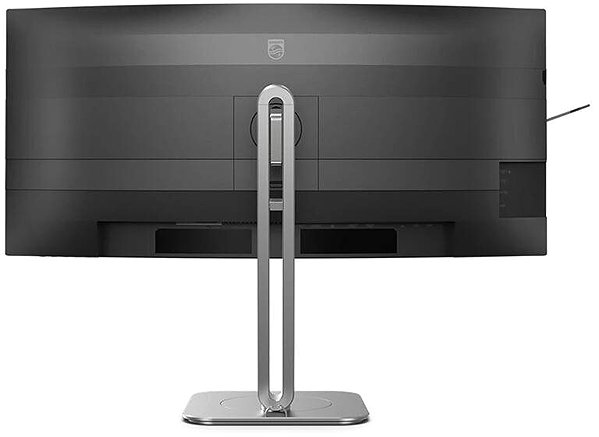
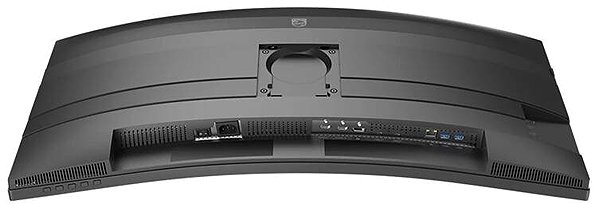
The Philips Monitor Will Surprise You with Its Features
You can use HDMI and DisplayPort to connect your laptop or computer to the monitor. If your computer does not have a suitable connector, you can expand your connectivity by purchasing a compatible port replicator. A port replicator is also useful when you want to connect two monitors. The built-in speakers are a convenient solution for both picture and sound in one device. In addition to the monitor itself, you will also receive an HDMI, DisplayPort, and USB-C cable in the package.
Choose a Monitor Based on Native Contrast and Colour Gamut
The Philips monitor offers a native contrast of 4000:1. The native contrast ratio indicates the difference between the brightest and darkest point that the monitor can display. If a monitor's contrast ratio is 3000:1, it means that the brightest point (white) is 3000× brighter than the darkest point (black). The sRGB colour gamut expresses what percentage of colours from this colour space the monitor can reproduce. The advantage of sRGB is its widespread use, as it is a common colour space for most monitors. The sRGB colour gamut of this monitor is 120%. It will therefore display more colours than is typical for it. The colours have more shades, their reproduction is more attractive and the content on the monitor will look better.
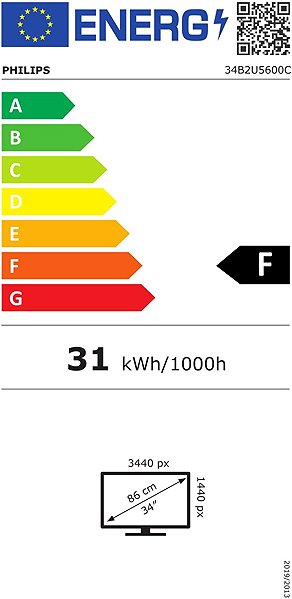
Information on the Energy Label of Monitors:
- The header lists the manufacturer and model of the monitor
- Scale of energy classes (left), specific energy class of the product (right)
- kWh/1000h: energy consumption in kilowatt-hours per 1,000 hours of operation
- SDR kWh/1000h: energy consumption in SDR mode in kilowatt-hours per 1,000 hours of operation
- Pixels: vertical and horizontal display resolution (3440×1440 px)
- Units in inches and centimetres: screen screen size
__________________________________________________________________
After scanning the QR code, you will be redirected to the European EPREL database, where you will see the display type, the technology used in its production (e.g., LCD, QLED) and other monitor specifications.
screen size:
34"
Colour Gamut (sRGB):
120%
Graphics Interface:
HDMI and DisplayPort
Graphics Interface Standards:
DisplayPort 1.4 and HDMI 2.0
Energy Class in SDR Mode:
F
Consumption in SDR Mode:
31 kWh/1000h
Dimensions:
57.5 × 80.7 × 28.1 cm (h×w×d)
Weight:
10.4kg
Specifications
Display diagonal and resolution
Construction
Panel and screen technology
Aspect Ratio
Backlight and colour
Connection
Colour gamut
Features and functions
Colour
Dimensions and weight
Packaging
Energy specifications
| Code: | WC130b8a65a |
| Warranty: | 60 months |
| Links: | Product Fiche Producer's Website: |
| Manufacturer information |
Philips Consumer Lifestyle B.V., Tussendiepen 4 9206 AD Drachten Netherlands, www.philips.com/support Pernerova 702/39, 186 00 Prague 8, [email protected] 
|