
TP-Link OC300, Omada

TP-Link OC300, Omada

TP-Link OC300
- Centralised management of up to 500 Omada access points, JetStream switches and SafeStream routers
- Cloud access to manage your network from anywhere, anytime you need it
- The Omada app allows for convenient network management
- The TP-Link OC300 excels with its high-end hardware design featuring a powerful chipset, durable casing and a USB 3.0 port for automatic backups
- A clear dashboard makes it easy to monitor the real-time network status and check network usage and data traffic distribution
TP-Link OC300 — A Hardware Controller for Centralised Network Management

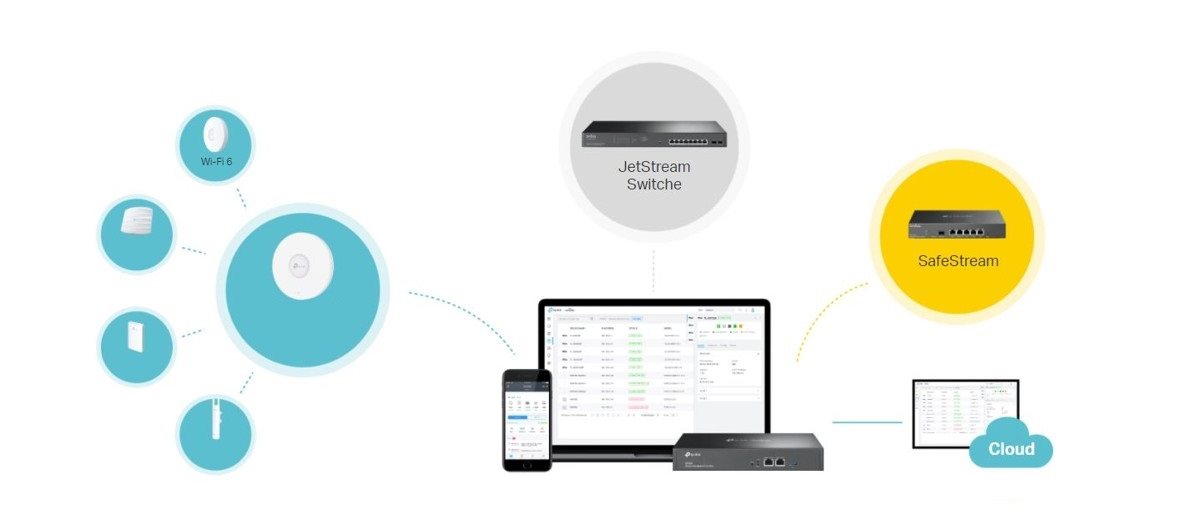
The TP-Link OC300 Provides Centralised Management for Access Points, Gateways and Switches
With the TP-Link OC300, you can achieve unified management for up to 500 devices and a total of 15,000 clients, without the need for a PC or server. The TP-Link OC300 is a controller for Omada software-defined networking (SDN), enabling unified management of access points, gateways, and switches.
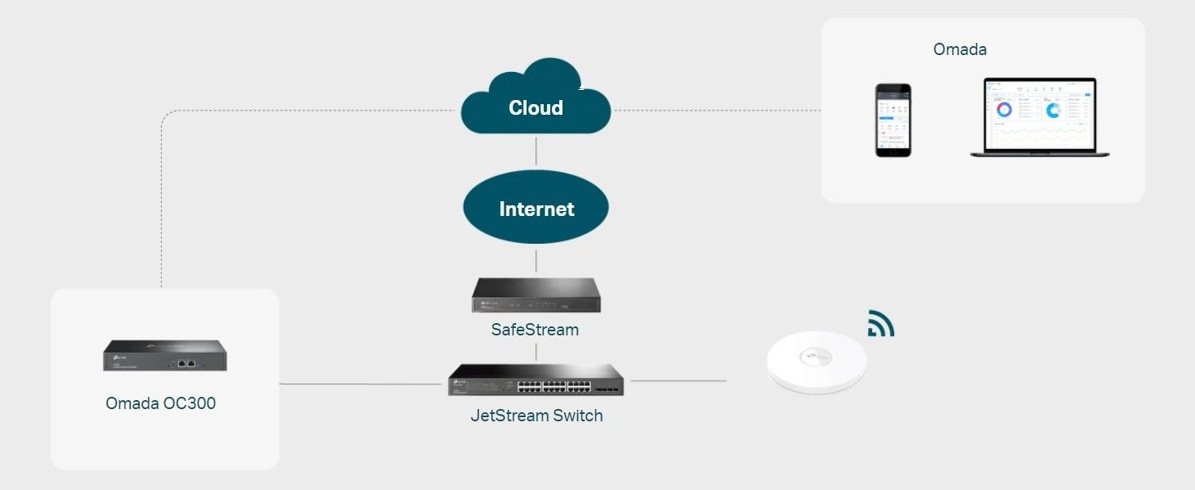
Enjoy Maximum Convenience with Hybrid Cloud
Using the TP-Link OC300 cloud controller, you can conveniently control your entire network remotely. You can do this from anywhere you have access to the cloud. The TP-Link OC300 is a great device for ensuring maximum security and reliability.
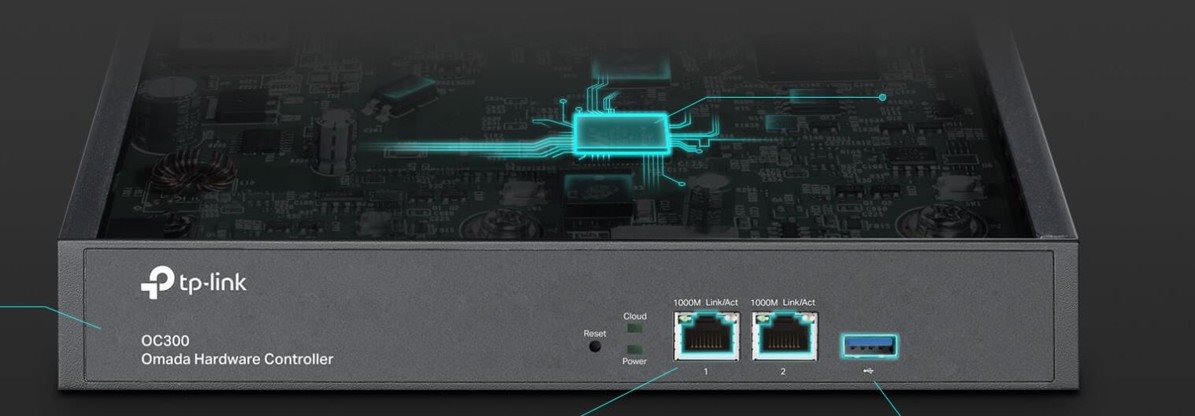
The TP-Link OC300 Features a High-Quality Design
Inside the cloud controller is a modern chipset that gives the TP-Link OC300 the computing power to support even robust enterprise network management. The TP-Link OC300 cloud controller is suitable for both rack mounting and desktop placement.
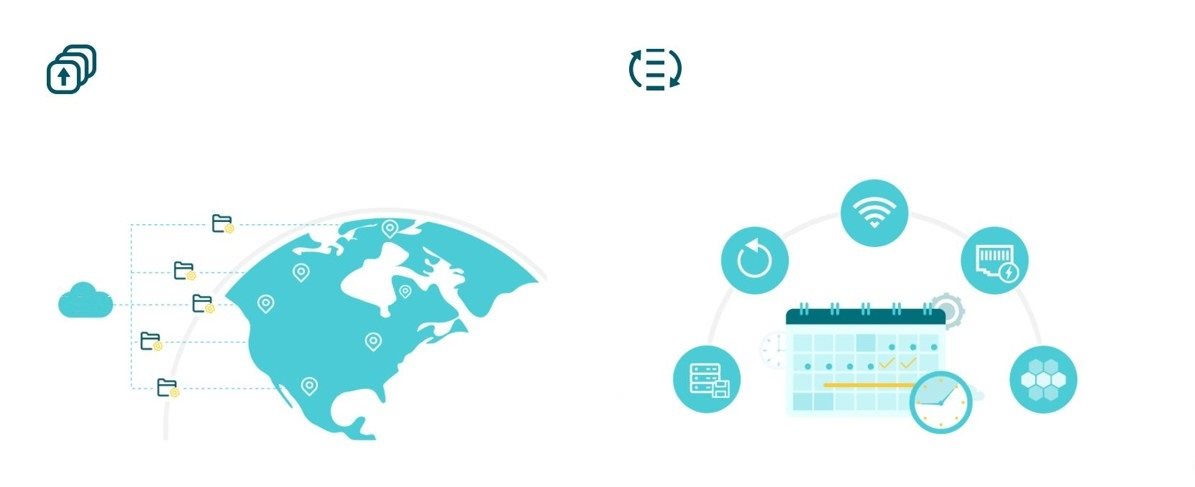
Keep Your Network Under Control with the TP-Link OC300
Thanks to the TP-Link OC300, you can monitor your network status in real time, check its usage, and see data traffic distribution. You will also receive network status logs, notifications of unusual events, and alerts. The network topology feature allows network administrators to identify connectivity problems. With the TP-Link OC300, you can, for example, manage multiple sites or update firmware remotely. You can also schedule device and network maintenance without the need for manual intervention.
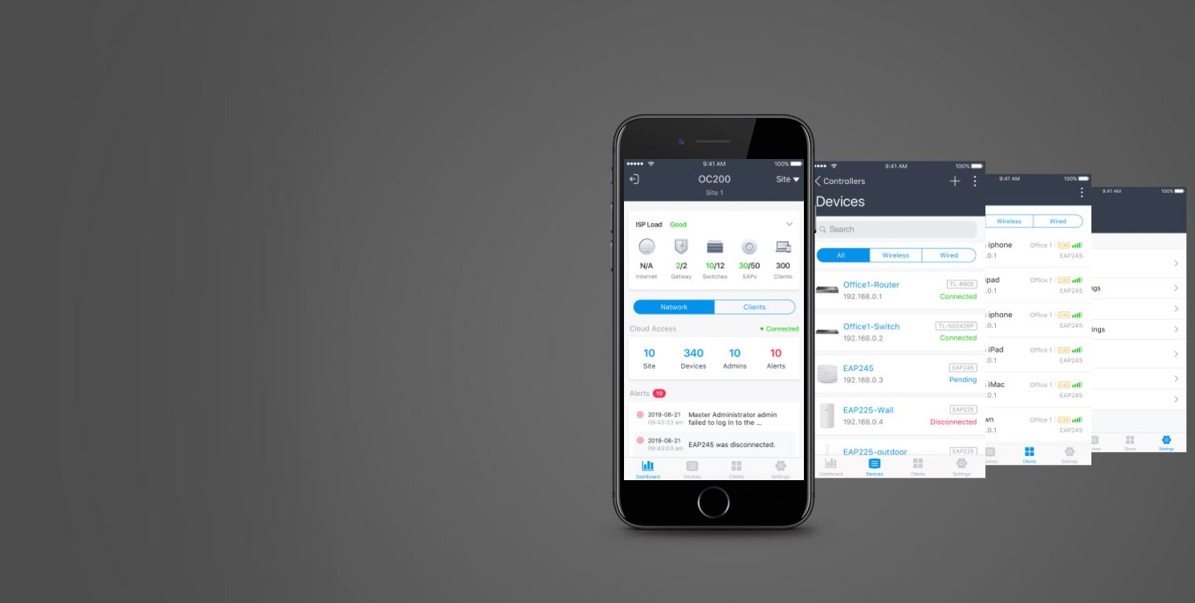
Control is a Breeze with the Omada App
Remotely access and configure your entire network with a single tap on your phone, no matter where you are in the world.
Specifications
Type
Processor
Standards and protocols
Management and security
Functions
Ports
Number of LAN ports
Features
Storage
Dimensions
Weight
Colour
Material
Operating temperature
Package contents
Power outlet type
| Code: | TpLNk21t60 |
| Warranty: | 60 months |
| Links: | Producer's Website: |
| Manufacturer information |
TP-LINK Czech s.r.o., Pekařská 10a, 15500 Praha 5, Česko, [email protected], www.tp-link.com TP-LINK Czech, s. r. o., Pekařská 695/10, Jinonice, 155 00 Praha 5, CZ +420 212 812 622 / SK +421 233 006 532, [email protected] 
|