
Reviews Mikrotik C53UiG+5HPaxD2HPaxD
Interested in reviews of Mikrotik C53UiG+5HPaxD2HPaxD? It got 4.8 out of 5 stars from our customers. Find specific customer reviews of Mikrotik C53UiG+5HPaxD2HPaxD below. We will appreciate if you also share your experiences with Mikrotik C53UiG+5HPaxD2HPaxD after purchasing.
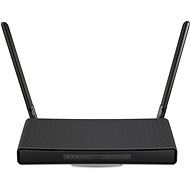
Mikrotik C53UiG+5HPaxD2HPaxD
In stock > 5 pcs
133.90 €
Add to Cart

Pavel, Napajedla
Rated 13/09/2026, variant Mikrotik C53UiG+5HPaxD2HPaxD
Verified purchase - review from a price comparison website
When my Asus started failing after ten years (it lasted a long time, you have to give it that!), I decided it was time for a treat. Over the last decade, whenever I heard the word MikroTik, it was in the context of something robust and reliable.
I'm still getting to grips with it, to be honest, but thanks to my limited networking experience and also AI ;-), I was able to get it set up using WinBox. It did take a few hours, though, as I had to get my head around their principles.
It's been running for two weeks now, and I was particularly surprised by the remarkable performance on the 2.4 GHz Wi-Fi, which is quite congested in our area. With the Asus, I only got that kind of data transfer speed to my mobile on 5 GHz.
Excellent configuration using WinBox software.
Not for a layman.
0 ×Report
Automatic translation
Anonymous customer
Rated 26/02/2026, variant Mikrotik C53UiG+5HPaxD2HPaxD
Verified purchase
It's a router for users who have at least a basic understanding of networking and are prepared for the fact that it can take them several hours to set up a router. I definitely recommend watching the videos on Mikrotik's youtube channel and reviewing the documentation.
Stable WiFi with long range
High performance
Updates for a long time
The endless possibilities of RouterOS
Winbox
Simple VPN setup for home - Back to home
Good documentation and lots of great youtube videos directly from Mikrotik
More complex settings
It came in an unsealed box with no security seal


0 ×Report
Automatic translation
Anonymous customer
Rated 07/02/2026, variant Mikrotik C53UiG+5HPaxD2HPaxD
Verified purchase
It's a product where I know I'll have an update even 10 years from now. That's great, because with other manufacturers it becomes dangerous e-waste after a few years. You can set up absolutely everything there. But that's also a weakness, because it's not a few clicks away. I successfully ran CAPsMAN over 2 WiFi including fast transition.
You can set absolutely everything that can be set for the network.
Support for the latest wifi standards
Virtually forever updates - security
CAPsMAN for unified wifi configuration on multiple APs
There are plenty of tutorials on the internet on how to set this up
I use this instead of the overpriced O2 modem behind Cetin terminator
Relatively cheap for what it can do
More complicated settings
Optically more expensive than the competition
0 ×Report
Automatic translation
Anonymous customer
Rated 18/01/2026, variant Mikrotik C53UiG+5HPaxD2HPaxD
Verified purchase
I bought it as a replacement for an Asus that had stopped getting updates, and somehow it annoyed me that I should pay several thousand for something that in a few years would stop getting updates again. Even the simplest router has at least httpd and Dnsmasq in it, and security vulnerabilities simply appear in those. When I connect a work computer to my home network, I don't want to cause a problem. So Mikrotik, fine price, fine support, fine quality. It's not a router, it's a single-purpose gaming console with one game similar to the TIS-100. The object of the game is to set up your router for several weeks at a time until you become either a certified networker or a patient. Michal Rybka hit the feeling exactly in his video review of Turris: one feels like a "monkey in a nuclear power plant". Notice: This review was written after 72 hours without sleep while debugging the firewall equivalent of the DPRK border zone. The router is great, but I recommend packing a pack of Lexaurin with it.
It is possible to set up everything that makes sense to set up on the router. And then what doesn't make sense.
With QuickSet, the most common configurations can be set up quickly.
They have detailed tutorials on their site that have already been written by AI models, so it's pretty easy to get advice on basic things that aren't in the QuickSet.
Gameplay for at least 3 weeks for me as a non-networking IT guy (with a kid), when I wanted precision QoS and security settings that go beyond the default settings.
It will receive security updates so long that I will be EOL before the router.
RouterOS doesn't seem to change much with the times. Since I now have all the setup in the form of a long script, I'll probably be able, maybe with the help of some AI, to cram it into the next Mikrotik in 10 years quite easily.
The power connector is a standard connector ("5.5 mm outside and 2 mm inside, female, pin positive plug") and it has a pretty good power supply voltage range, so I simply connected it to a 60W switching power supply for good stability, so I'm not expecting reboots due to dry capacitors in a cheap adapter.
Connection quality on 5 GHz great.
Reset roulette: If you hold the reset button too long (more than a few seconds of flashing), the router will reset to empty settings. As a result, even the WiFi listed on the label doesn't work, and for a mere mortal, it's meh. It's nice to be able to try the procedure again, and if it succeeds, it restores to some basic working factory settings where the WiFi on the label works, and using QuickSet you can get to working internet for home devices in 5 minutes.
A trap called QuickSet: An attempt to simulate the simplicity of conventional routers. But QuickSet leaves services like API, FTP, Telnet, WinBox, MAC-WinBox, etc. enabled under the hood, which in the past have been used to spread malware on un-updated Microtics. You have to go manually switch them off or remember to update them regularly.
QoS and SQM for masochists: While with competitors it's a few clicks and 5 minutes to get QoS working, so that video calls don't drop when there's heavy data traffic on the next computer, here it's a project for weeks. This requires detailed knowledge of network layers, packet marking and queue tree construction. But the result is worth it and it can be combined with hardware acceleration of traffic that is not shaped, so for example communication with the NAS runs at full HW accelerated speed and the CPU is loaded only by shaping traffic going to and from the Internet. A normal Asus will turn off HW acceleration completely as soon as anything to do with QoS/SQM is turned on. But when I compare how it worked on my Asus (enough) and how easy it was to set up (5 minutes) and how insanely complicated it is here, I give it a minus.
Automatic updates is something that doesn't even make much sense to set up on this one - firstly, it's done by writing a script to do it, and secondly, you run the risk of running into a version that the manufacturer would rather take out of circulation in two hours. This isn't like Asus, where I turn on automatic updates and it just works.
The Guest WiFi network in QuickSet is basically unisolated, unlike regular better routers. Of course, you can set up all sorts of things, like a separate subnet, a DHCP pool, a firewall between the main network and the guest network, speed limits, using older standards or narrower bandwidth to connect some outdated weird device, but do it through advanced settings or a terminal and prepare for a free weekend and lots of coffee.
This is not a router, it's a way of life and a cause of insomnia. If this isn't your hobby, buy a regular router.
Maybe it would be more pleasant and quicker to set up if I didn't have a baby and a job and could dive in for 16 hours and soak it all in at once, but doing it in bits and pieces in my spare time when the baby is asleep and I'd rather be too is like summoning Cthulhu.
The quality of router reception from small devices (i.e. direction of data flow client -> router) at 2.4 GHz significantly worse than my old Asus RT-AC68U. It's possible from a laptop, it has a big antenna in the display.
If you enter a WiFi name longer than 32 bytes in QuickSet, the WiFi will simply stop working until you fix the setting. Regular routers give you a user-friendly warning, this one doesn't.
0 ×Report
Automatic translation

Václav, Praha 12
Rated 15/01/2026, variant Mikrotik C53UiG+5HPaxD2HPaxD
Verified purchase - review from a price comparison website
Really anything can be configured
Detailed documentation on Mikrotik website
GUI and CLI tools work as they should
For that price it pays to have something of quality from the EU and with support for new firmware, instead of a Chinese junk with back-door.
Slightly larger size
The adapter to the socket is size narrow but long and the fork is perpendicular |. |, so it does not fit into the double/triple socket next to the narrow adapter, which has a fork parallel |: |
0 ×Report
Automatic translation

Customer, Budapest
Rated 05/11/2024, variant Mikrotik C53UiG+5HPaxD2HPaxD
Verified purchase
gigabites nettel rendben működik
gyors wifi
0 ×Report
Anonymous customer
Rated 16/10/2024, variant Mikrotik C53UiG+5HPaxD2HPaxD
Verified purchase
Powerful settings
I had two other WIFI-6 routers, ASUS, and TP-Link Archer, and both were not working properly with my ISP, and the internet connection was dropping all the time. Same did not happen with this Mikrotik
Not for someone who does not understand at least a bit about networks
0 ×Report

Tomáš, Brno 2
Rated 28/09/2024, variant Mikrotik C53UiG+5HPaxD2HPaxD
Verified purchase
performance
Reliability
options
cannot be mounted in the rack in any reasonable way. (only a 3D printer and a few hours of modeling the handle solved it)
slightly higher price
0 ×Report
Automatic translation
Zdeněk, Praha 9
Rated 14/06/2024, variant Mikrotik C53UiG+5HPaxD2HPaxD
Verified purchase
This is a quality router. What will most likely be an obstacle for many users is its settings, if they want to do anything more than just turn on the network and connect to the Internet. The router offers a number of elaborate functions with a significantly more extensive configuration than is the case with other routers.
AP height
quality workmanship
setting options
signal quality
more complex settings
0 ×Report
Automatic translation
Anonymous customer
Rated 23/05/2024, variant Mikrotik C53UiG+5HPaxD2HPaxD
Verified purchase
Very good performance.
I can't find
0 ×Report