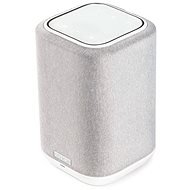
Interested in reviews of Denon Home 150 White? It got 4.4 out of 5 stars from our customers. Find specific customer reviews of Denon Home 150 White below. We will appreciate if you also share your experiences with Denon Home 150 White after purchasing.
I was getting tired of the uncomfortable playing radio and Spotify through the overbassed JBL Xtreme Bluetooth speaker in the kitchen. Starting Radio or Spotify has always required launching the app, then playing it. Then I found out that the sound was coming into my headphones or directly from my mobile phone. So then still connect the Bluetooth speaker. When someone called into it, my handsfree switched to speakerphone instead of music. The app then had to keep running on the mobile, and when I took the mobile out of the kitchen, the speaker disconnected and the music played from the mobile again. I just found after a few years that I only use it occasionally because it's cumbersome.
The Denon 150 with Airplay, Spotify Connnect and radio start buttons solved everything elegantly.
I don't need a mobile phone to start the radio, I just press one of the three touch buttons where I have radio presets.
I do need my phone to play Spotify, but only to start it, then it plays itself. It could probably be set to a button, but I haven't tried that yet.
Stop, skip or rewind and volume can also be controlled directly on the speaker. And even if someone calls me on my mobile phone, it has no effect on the music playing from the speaker. Plus, anyone who wants to can still connect it via Bluetooth.
I've searched hard enough, but I haven't found another smaller, lightweight (under 2kg) bookshelf speaker with direct radio selection and Apple Airplay, so Denonbyl is the only choice and it's great.
sound is echo-free (closed design)
3 quick options e.g. to start a saved internet radio station
Spotify Connect - plays on its own without a mobile phone
play/stop/skip/back button and volume control
control touch buttons are backlit
Easy initial setup via the Heos mobile app
Airplay - no need to connect, just select as playback source
Bluetooth connection for devices without Airplay
simple 230V cable directly to the speaker
More bass for its size (but not nearly as much as the JBL speakers). They can be overridden in the Heos app
Very fast automatic wake-up by starting Airplay or touching the station button.
The control panel is at the top. When placed on the shelf, the buttons, which are touch-sensitive, cannot be felt. Fortunately, it's square and can be laid on its side with the touchpad facing you
The speaker is directional in the midrange, the sound comes from the side with the logo.
Non-standard network protocol for setup via Heos application. Starting playback and control is not a problem over the network, but initial setup or reconfiguration is only possible on some 'WiFins' On the wifi in the kitchen (wifi from TP link powerline/homeplug) I just can't set it up, but on the Asus wifi router no problem.
It has a non-expressive speech band (TV has better speech sound). It's fine for music or radio, but not suitable for TV. (I didn't notice any lag with either airplay or Bluetooth, but I only have one speaker).
0 ×Report
Automatic translation
Customer
Rated 17/06/2025, variant Denon Home 150 White
Verified purchase - review from a price comparison website
on the 15th day of the service notice nini is under complaint also on the 15th day, I have another one and it works OK so far so 50/50
0 ×Report
Automatic translation
Marek, Jablonec nad Nisou
Rated 22/06/2024, variant Denon Home 150 White
Verified purchase
I first tried the Sonos Era 100. There the sound was pleasant for some, maybe more suitable for the space and for TV movies. However, for me the priority was music, and the Denon Home 150 fulfills this perfectly. It can be said that this is a speaker that can play anything, and with the help of bass and treble settings, it will suit everyone. It' s great to connect the disc via USB to any speaker in the network, so you can access the content on other speakers in other rooms. The possibility of connecting the sound from the TV with an AUX cable, which eliminates the delay. If there are two pieces for the stereo, you only need to connect the TV to one of them.
If you connect the speaker using Airplay2 from appletv, I don' t see any problem with the delay of the sound against the picture. The speakers can also be controlled using Siri, but you need to own at least one homepod in the network to access AppleHomekit.
I was surprised by the performance of the speakers and for a 5x4m room they are in stereo mode, I think with some reserve. Compared to the Era100, they play much better in the entire range. Era100 when it exceeds 80% volume, the sound is unusable.
after FW update. I recommend restarting. In one case, the sound was flat without a restart. For me, an excellent product for great money.
Definitely great sound
Can add SIRI
Integration into Apple Homekit
Ability to work even without registration to a Heos account
Perfect processing
speed and clarity of the application
Options for connecting audio sources.
From the beginning touching the application and initial orientation, but later it makes sense
0 ×Report
Automatic translation
Jiří, Brno
Rated 09/01/2024, variant Denon Home 150 White
Verified purchase
The sound is great and the quality of the product is super.
Average delay when connecting just one speaker to the chromecast google tv. Just for music on video this speaker is not.
0 ×Report
Automatic translation
Václav, Černošice
Rated 28/06/2023, variant Denon Home 150 White
Verified purchase
plays beautifully
settings in the app (including LED light)
has a wired input
even if you have two in stereo, just connect the aux to one and it will handle it
controls are touch only and it is easy to get lost blindly
0 ×Report
Automatic translation
Luboš, Sušice
Rated 04/01/2026, variant Denon Home 150 Black
Verified purchase
plays great
0 ×Report
Automatic translation
Anonymous customer
Rated 09/11/2025, variant Denon Home 150 Black
Verified purchase
sound
design
processing
disastrous applications
speed of connection to wifi / control
0 ×Report
Automatic translation
Jan, Praha 4
Rated 05/11/2025, variant Denon Home 150 Black
Verified purchase
plays beautifully
it is not large and has a pleasant appearance
plays from my favorite app BubleUpnp
0 ×Report
Automatic translation
Milan, Uherský Ostroh
Rated 29/07/2024, variant Denon Home 150 Black
Verified purchase
I was looking for a smaller speaker at a reasonable price that could also be connected via RJ45. There aren' t many to choose from. The commissioning took place without any problems, the mobile connection both via BT and the local network is stable.
Mainly, it plays quite decently - bass, mids and treble, the sound is not obscured or over-bassed and is much more readable (it is easier to recognize the instruments and what the singer is singing) than, for example, a Sony of a similar price with which I have the opportunity to compare at home.
I was afraid of directionality, but it was odd - the speaker fills the entire room just fine and has enough power to sound even a slightly larger space (I didn' t even try the maximum volume).
If Denon made a stereo version with a DAC, I would immediately take them to the PC.
as one of the few speakers in this price range has RJ45
reliable connection both via BT and local network
quality workmanship
decent application that expands playback options and radio (including Czech)
but mainly it plays very decently for the given size and price
cannot be connected as a DAC to a PC
0 ×Report
Automatic translation
Barbora, Nový Jičín 1
Rated 19/01/2024, variant Denon Home 150 Black
Verified purchase
finally, thanks to denon home, I managed to connect the sound so that there is no delay when using bluetooth speakers
multi-zone audio linking
more price-intensive than a traditional speaker via audio cable or bluetooth speaker
0 ×Report
Automatic translation
Try our cookies
Alza.cz a. s., Company identification number 27082440, uses cookies to ensure the functionality of the website and with your consent also to personalisage the content of our website. By clicking on the “I understand“ button, you agree to the use of cookies and the transfer of data regarding the behavior on the website for displaying targeted advertising on social networks and advertising networks on other websites.