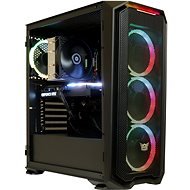
Interested in reviews of Alza GameBox Core RTX3060 Ti+? It got 5.0 out of 5 stars from our customers. Find specific customer reviews of Alza GameBox Core RTX3060 Ti+ below. We will appreciate if you also share your experiences with Alza GameBox Core RTX3060 Ti+ after purchasing.
I am very satisfied. A lot of people complained about the noise, but the PC shipped with EVGA graphics, the noise was probably caused by the cheap plastic fans on the GAINWARD graphics. The motherboard has integrated LEDs that light up even after the PC is switched off, but after downloading the Aura Creator app from ASUS, you can change the settings (default in the rainbow settings - it took me about an hour to figure out how to do it, but it works. ) You need to launch Aura Creator, click on the PC components, select the graphic representation of the motherboard, add a new layer, then choose what mode you want, like static, drag it down to the time line, confirm and save (hopefully save time.: -D). Also, be sure to download the ARMOURY CRATE app on ASUS's website where you can control the GPU fan speed, monitor temperature, etc. Overall, I am very happy with the purchase and definitely recommend the purchase to anyone who is hesitant. Yeah. I'm going to download more games in GamePass, see you in a few years.: -D
Appearance
Quiet
Cable management
Cheaper base plate, but sufficient.
No dust protection net at the rear
Integrated RGB LEDs on the motherboard are still lit even after switching off (description for editing below)
Price (but given the lack of graphics cards, you have to accept overpaying)
For the first time in my life I bought a built kit and I am very satisfied. Just plugging in the PC and getting it working completely made up for the satisfaction of a well built machine. I just have a reservation about the fan backlighting. Only one was lit in the front and the rear one wasn't lit either, it was bad wiring. I don't take other users' complaints about noise very seriously. Yes, you will hear PC, but it's not terrible. Even at night with the speakers at minimum volume, the fans are quietly drowned out. Finally, some FPS results (I'm playing in 1080p): Cyberpunk 2077 (Ultra, Ray-Tracing medium, DLSS Auto) - 65-80FPS; DOOM Eternal (Ultra Nightmare, Ray-Tracing, DLSS off) - 144FPS (monitor cap); Red Dead Redemption 2 (Ultra) - 55-90FPS; Death Stranding (Ultra) - 100FPS; Horizon: Zero Dawn (Ultra) - 65-75FPS; Call of Duty: Warzone (Ultra, Ray-Tracing) 144FPS (monitor cap).
Acceptable noise level
Good cable management
XMP profile for RAM was not enabled in BIOS, so untapped potential
The two front and rear fans were not lit. Probably just wired wrong.
There are no dust filters in the cabinets, so it will need more frequent maintenance
It can run demanding games - tested and streaming, everything is on point
RTX 3060 Ti
Beautiful wardrobe
WiFi antenna with motherboard fits me
Large storage
No fan control
0 ×Report
Automatic translation
Try our cookies
Alza.cz a. s., Company identification number 27082440, use cookies and other data to ensure the proper functioning of the website and, with your consent, also, among other things, to personalize advertising and the content of our websites. By clicking on the “I understand“ button, you agree to the use of cookies and the transfer of data regarding the behavior on the website for displaying targeted advertising on social networks and advertising networks on other websites.