
Reviews 49" Philips 49M2C8900L OLED
Interested in reviews of 49" Philips 49M2C8900L OLED? It got 4.3 out of 5 stars from our customers. Find specific customer reviews of 49" Philips 49M2C8900L OLED below. We will appreciate if you also share your experiences with 49" Philips 49M2C8900L OLED after purchasing.
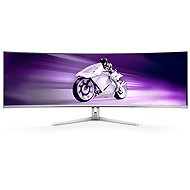
49" Philips 49M2C8900L OLED
In stock > 5 pcs
932 €
Add to Cart

Anonymous customer
Rated 02/01/2026, variant 49" Philips 49M2C8900L OLED
Verified purchase
Farby
Jas
Odozva
Pomer cena vykon
Pomerne hrube okraje
0 ×Report

Customer, Praha
Rated 03/04/2026, variant 49" Philips 49M2C8900L OLED
Verified purchase
Beautiful picture and easy operation via the remote control. Since I have a Mac, I'm missing the USB-C to DP 1.4 cable, since my Mac won't let me set the 144Hz refresh rate over HDMI 2.1. For some, only 65W PD may be a problem when the brightness is set higher, for my work it is enough for me. For the price, the monitor really offers a lot, even some VA alternatives don't compare, plus 36 months of warranty. I definitely recommend it if you have desk space, work with applications where width is an advantage (video editing, excel, etc. ), and occasionally play along.
beautiful picture and 144Hz make a big difference over IPS
Ambiglow nicely expands the image if you have a flat white wall
Speakers are not the best or the weakest, for video is enough, for music I use headphones
Cables included, only USB-C to DP is missing
PbP makes the monitor 2x27", just not possible to set each image separately
Remote control for controlling settings
If you have a Philips TV, the remote will also control your TV
I recommend getting an arm to go with the monitor. The foot can take up a little more space
0 ×Report
Automatic translation
Company
Rated 03/06/2025, variant 49" Philips 49M2C8900L OLED
Verified purchase
the monitor met all expectations. I had pretty high expectations for this monitor and although it is cheaper than other ultrawide displays of the same size, the display quality is top notch. I might appreciate a little more curvature, but maybe there are hardware limitations that don't allow it.
KVM
lower price compared to competitors for better colour accuracy
the ideal compromise between gaming and work display
if I have a keyboard or mouse connected to the display, I am unable to wake it up by moving or pressing a key after the computer has gone to sleep.
0 ×Report
Automatic translation
Luděk, Mečeříž
Rated 02/06/2025, variant 49" Philips 49M2C8900L OLED
Verified purchase
excellent image
slightly more warm
0 ×Report
Automatic translation

Filip, Praha 4 - Modřany
Rated 24/03/2025, variant 49" Philips 49M2C8900L OLED
Verified purchase
OLED - beautiful picture and perfect black
ambient lighting - on the strongest setting it illuminates the whole room
USB-C power delivery up to 90W
KVM switch
remote control
current promo - free Philips TAH8506 hearing aids (in white)
Power delivery via USB-C only works at 65W when brightness is greater than 70%
unnecessarily detailed 0-100 scale for volume and brightness, 0-10 would be enough. For example, when I lower the brightness in the evening, I hold the button on the remote control for 10 seconds
the attachment of cables from the back is quite poor, from the front they are visible (see. photo) - we will have to come up with some solution of our own


0 ×Report
Automatic translation
Company
Rated 14/02/2025, variant 49" Philips 49M2C8900L OLED
Verified purchase
The picture looks great to me, a beautiful OLED panel and 144Hz is a great combination. I use it for work and play and I'm quite satisfied. Anyway, I'm annoyed by the other things you come into contact with in your daily use. Philips support is also rubbish and hasn't been able to answer me at all as to why in PBP mode the image is shrunken and not across half the screen. I also tried changing the resolution to 2K, but to no avail. I accidentally changed the Hz to 120 and it already stretched. Which is pretty stupid. You want to quickly connect a second device and you have to fight your way through all sorts of settings. I would expect if the monitor has "smart size" it will work.
Changing to a different screen size doesn't work either. I would assume that if I choose the 27" that are in the menu it would make black boxes on the sides and I have a different screen size. It doesn't happen instead it shrinks the image in the middle of my screen to a decidedly inadequate size - unusable.
Picture
Appearance
Rear diodes
Speakers (not great quality, but they are there)
Probably the price
Even when switched off, Macbook perceives it as on
The LEDs are beeping
There is nowhere to set the power supply (e.g. USB-C, which is connected to the Macbook) powered even when the monitor is turned off
The menu is very blocky and to manually turn on pixel refresh you have to search all the way to the back for it
Pixel refresh cannot be turned on if the connected device is turned off! = I turn off the PC and I can't refresh the pixels anymore, same if it turns off during refresh => the LED indicating refresh will blink endlessly and refresh won't happen!
PIP & PBP don't work very well, I would expect that when I run it the smart size feature will ensure that the image is full screen and not just shrunken (in the settings you have to fiddle with the resolution and even change the refresh rate to 120Hz to use PBP across half the screen as it should be)
Switching peripherals for PBP or PIP should be solved with one touch and not buried in the menu
The monitor is heavy (e.g. Samsung has cleverly solved this by stuffing it into an external box) => you can't mount it on a classic VESA mount
Smart zise doesn't work and neither does changing to another monitor size (like 27")

0 ×Report
Automatic translation
Anonymous customer
Rated 26/09/2024, variant 49" Philips 49M2C8900L OLED
Verified purchase
Nice big oled panel. Colours and contrast super.
The speakers are a bit worse in sound presentation, lacking bass and overdriven highs. If no sound is played into them, they hum.
The LED in sleep mode flashes and cannot be switched off.
It's glossy, so it's a little more shiny. But it's not that bad.
0 ×Report
Automatic translation