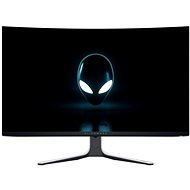
Interested in reviews of 32" Dell Alienware AW3225QF? It got 4.9 out of 5 stars from our customers. Find specific customer reviews of 32" Dell Alienware AW3225QF below. We will appreciate if you also share your experiences with 32" Dell Alienware AW3225QF after purchasing.
Verified purchase - review from a price comparison website
Beautiful picture
Luxurious appearance and practical mounting. Even when switched off, this monitor is a lovely addition to the flat.
Non-existent stuttering when looking around in the game space (after buying this monitor, I found out it was the monitor and not the graphics card, even though the previous monitor also had a high refresh rate), now it's completely smooth.
The widely discussed pixel refresh, after a month of use, always runs after the PC is switched off and doesn't disrupt anything.
Paired with an RTX 5080 and a Ryzen 7 9800X3D and I can't praise the combination enough. Everything in the highest detail and the picture is smooth and clear.
I can see a big difference even from going from 1440p.
The picture is beautiful
Beautiful HDR
Good monitor adjustability
Reset pixels (I don't take it as a minus, because you count on it)
Normally I don't write reviews at all, but I chose this monitor based on a lot of recommendations and a long hesitation to buy something cheaper. I have had it for half a year and satisfaction is maximum. The depth of the image and the colours are great, you get used to the slight curvature quickly and happily, and on top of that the contruction is absolutely precise. Don't hesitate, you'll be happy with this.
I was expecting a miracle from the reviews I read here.Whatever I try, the picture looks worse than my 5 year old fullhd VA panel. I'll give it time, but it's a terrible misery
I've been using the monitor for over a year now (very heavy use - games/work), I've accidentally bumped it a few times (while moving around the room, not because of games: D) and still everything works, no dead pixels.
I've used the monitor with both a MacBook and a PC, it has always worked seamlessly
QD-OLED technology is still very imperfect. Because of its weak maximum brightness, even HDR is weak, it has a red tint and you can't completely get rid of it even after tweaking. Dell is betting all its gaming support on high refresh rate and OLED technology alone. There is no possibility of adjustments to improve the smoothness of games as we can see in some "gaming" (samsung/lg) oled tv for the same or even lower price. The image tends to flicker because of the fast response time (at low fps). So I wouldn't recommend it for console gaming, where games typically have a lower refresh rate.
Excellent workmanship
Great response
Emphasis on protection against image burn-in
Beautiful design
Neat bend
Very vivid colours
The control panel is very responsive
Low brightness in normal daylight (100% brightness is subjectively the limit of tolerability)
The whole picture has a tinge of red
Almost zero setup for games (just small things)
Weak HDR
The screen is glossy, which improves colour rendering, but for a perfect picture you need to have a dark background behind you to avoid distracting light reflections
The monitor slightly degrades in quality if you use it for 8+ hours and ideally refresh the pixels on the panel every 3 hours, which is only a 5 minute wait, but it's terribly annoying if you always want a top image
0 ×Report
Automatic translation
Try our cookies
Alza.cz a. s., Company identification number 27082440, use cookies and other data to ensure the proper functioning of the website and, with your consent, also, among other things, to personalize advertising and the content of our websites. By clicking on the “I understand“ button, you agree to the use of cookies and the transfer of data regarding the behavior on the website for displaying targeted advertising on social networks and advertising networks on other websites.