Refresh the page

Reviews 27" MSI MAG 274QRF QD E2

Interested in reviews of 27" MSI MAG 274QRF QD E2? It got 4.3 out of 5 stars from our customers. Find specific customer reviews of 27" MSI MAG 274QRF QD E2 below. We will appreciate if you also share your experiences with 27" MSI MAG 274QRF QD E2 after purchasing.
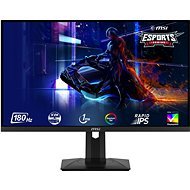
27" MSI MAG 274QRF QD E2 - Monitor
27" MSI MAG 274QRF QD E2
Currently Unavailable
Václav, Sestajoviceflag
Rated 25/12/2025, variant 27" MSI MAG 274QRF QD E2
Verified purchase
amazing monitor
nice colours
great satisfaction
switches sources
0 ×Report
Automatic translation
Customer, Prahaflag
Rated 25/11/2025, variant 27" MSI MAG 274QRF QD E2
Verified purchase
It's probably too early to judge, but overall I'm very happy with the monitor. used for both games and work.
price
resolution
colours
response
refresh rate
Packaging
0 ×Report
Automatic translation
Petr, Praha 4 - Chodovflag
Rated 16/11/2025, variant 27" MSI MAG 274QRF QD E2
Verified purchase - review from a price comparison website
I already owned the monitor in question, was happy with it, donated it and bought a new one. I returned it (new). I just couldn't set it up to achieve the same quality display as the original piece. I think it has something to do with the virtually heatless power adapter.
0 ×Report
Automatic translation
Matouš, Kolínflag
Rated 06/07/2025, variant 27" MSI MAG 274QRF QD E2
Verified purchase
Excellent gaming monitor after half a year of use no dead pixels backlighting works fine and monitors is in 2K and using 180Hz snappy
Nice picture
Software
180Hz with 2K looks really nice
RGB backlight
Pivot (large monitor layout)
USB 2.0
Without speakers
It takes longer to wake up
0 ×Report
Automatic translation
Anonymous customerflag
Rated 05/07/2025, variant 27" MSI MAG 274QRF QD E2
Verified purchase
Overall, I'm rather happy with the monitor so far, although I may have paid extra for something I won't end up using. If you want to buy a monitor for the KVM feature, or even just for the KVM feature, consider how you will use it. It will probably only work on certain operating systems, and at least one of the computers must support the appropriate standards for USB-C data and video transfer. The ideal combination is a desktop computer connected via DP and a USB-A port on the computer with a USB-B port on the monitor, and a USB-C cable to connect the monitor and laptop (you'll need to get a suitable USB-C cable, as it's not included). That combination worked fine for me. For other combinations (e.g. 2 desktops) I would be much more cautious. Controlling and adjusting some of the other advanced features is a bit awkward. The LED that indicates when the monitor is connected to a signal source cannot be turned off and can be distracting in some circumstances (watching a movie in a darkened room).
Excellent image
Assembling the monitor out of the box and setting up its basic functions
Unobtrusive appearance (maybe a minus for some, but I wanted a universal monitor for work and play, so for me a definite plus)
The monitor basically met most expectations
Windows 11 will not allow you to install the official monitor driver downloaded from the MSI website
Windows 11 on a connected USB port often reports that the device has not been properly recognized
The Czech instructions are not very detailed and some things are not explained at all
Everything is controlled with one joystick (I would have liked at least a separate button for switching off/on and maybe also for switching signal sources, or maybe for switching the power supply. for picture-in-picture)
Real-world use of some advanced monitor features is problematic
The price/performance ratio is not ideal given the above
0 ×Report
Automatic translation
Zdeněk, Orlová-Lutyněflag
Rated 01/04/2025, variant 27" MSI MAG 274QRF QD E2
Verified purchase - review from a price comparison website
I am satisfied
0 ×Report
Automatic translation
Jan, PRAHA 6flag
Rated 03/03/2025, variant 27" MSI MAG 274QRF QD E2
Verified purchase
After less than half a year appeared dead pixel on the complaint I was zdeleno, that it is not a defect of the product, I do not know how intelligent at MSI works, but this is a mockery.
0 ×Report
Automatic translation
Petr, Prahaflag
Rated 14/12/2024, variant 27" MSI MAG 274QRF QD E2
Verified purchase
I was looking for a "universal" monitor for work, some gaming here and there and this model did not disappoint. With a rich connector set and a decent picture, it ticks all the boxes. All this for a very interesting price. A big advantage is MSI's software for controlling basic functions - brightness, contrast, profile switching and more, so you don't have to hunt for everything using the joystick on the back. Decent and pleasant RGB elements on the back are also a nice addition. As the biggest minus I perceive not very good backlighting. Normally you don't notice it, but when a dark background is shown, you can see the backlighting coming from the corners. But for the price and the equipment around it, it's still fine. And a minor minus for HDMI 2.0, but that's a detail. If you are looking for something versatile under 10k, I can recommend this.
Rich connectivity
KVM
Picture
Monitor control software
Absolutely sufficient brightness even in a bright room
Price
Backlight
HDMI 2.0
0 ×Report
Automatic translation
Kristián, Frýdek-Místekflag
Rated 19/11/2024, variant 27" MSI MAG 274QRF QD E2
Verified purchase
180 HZ
1440P
With the right settings, it has nice colours but still doesn't have OLED
Adjustable height
Monitor control software
Freesync
If you want HDR I recommend another monitor. HDR 400 is terrible
0 ×Report
Automatic translation
Josef, Šestajoviceflag
Rated 19/11/2024, variant 27" MSI MAG 274QRF QD E2
Verified purchase
I've been choosing a monitor for a while, and since I need to work on a monitor at home more and more in the last few years (home office), I had to let my taste for OLED go and buy a much more versatile and text-friendly IPS panel. However, the first piece was defective and one pixel was red. With the new piece I also found a small defect in the upper right corner, but that's only because I used a magnifying glass after a previous experience (three pixels are slightly darker, it looks like a small speck). But unlike the glowing red pixel, unless I'm explicitly looking for it, I don't know about it, so I don't address it. You'll immediately notice more saturated colours when you turn it on. I switched to sRGB profile and haven't played with it more yet. Since I tried to look at some photos, the colors look nice to me, but I'll borrow a probe at work and do a calibration eventually. I definitely feel that the monitor displays very nice blacks for an IPS panel, and even after almost two weeks, it never ceases to amaze me. However, if I didn't need a USB hub and usable usb-c power, I would probably go for a cheaper model without QD for now. Thanks to the lack of PWM brightness control, my eyes/head don't hurt even after a full day of work. I didn't believe it could be that and it probably was (and I had a monitor with 400Hz PWM, so definitely not the cheapest). I was surprised that the high frequency is felt even during normal work. Scrolled text is much easier to read. You get the same experience from browsing the web as on a mobile phone. You just need to manually switch it on, it is set to 60 Hz by default and you need to use the appropriate cable. In the delivery there is only DP, which I have on my laptop only in the form of usb-c. The cheap hdmi cable I found at home did not support high frequencies. Likewise, for games you need to enable image synchronization both in the monitors menu and in the graphics card settings (at least with nVidia it doesn't detect itself). The connection was realized with a usb-c cable (usb4 standard), which represents an additional cost. However, the monitor is then connected only by this cable, which also serves the usb hub and powers the laptop. The Monir has an external power supply, so there is only a thin, pliable cable leading to it, allowing all the speakers to be easily hidden in the positionable arm. Unfortunately, the hub is only usb2, which is enough to connect a microphone, keyboard and mouse, but connecting a fast disk is already a problem. Similarly, the power supply is only sufficient for a working laptop. A private gaming laptop 65 W does not even detect. It needs at least 75W, so I plug a 100W charger into its second usb-c and then a proprietary 240W cube for maximum power. This is the main reason for the downgrade, because for the money there could have been a 95W+USB3 hub, especially when connected via usb-c which supports all this. But I didn't want to get a docking station, where it's hard enough to find a model that will work with image synchronization (price 4k+). Therefore, I decided to make small concessions, but the lack of finishing touches brings down my rating.
visibly better black
high refresh rate surprisingly improves the experience even when simply scrolling on the web
no PWM brightness control
possibility to connect the nb with one usb-c cable including its power supply
clear menu easy to use with joystick, possibility to select direct access to selected functions
sufficient maximum and minimum brightness
the colours feel rather more pleasing, but nothing tragic. When you turn on the sRGB profile, they recede. I'll see what I can set up with the probe.
USB hub with KVM switch
external power supply, so only a thin cable leads to the monitor
the first piece had a defective pixel that was lit in the bottom left corner
price/performance ratio
usb-c power supply only 65W
USB hub USB2 only
lack of usb-c and HDMI connection cable (who has a displayport on a laptop nowadays? )
0 ×Report
Automatic translation

Try our cookies

Alza.cz a. s., Company identification number 27082440, uses cookies to ensure the functionality of the website and with your consent also to personalisage the content of our website. By clicking on the “I understand“ button, you agree to the use of cookies and the transfer of data regarding the behavior on the website for displaying targeted advertising on social networks and advertising networks on other websites.

More information
I understand Detailed settings Reject everything
P-DC1-WEB02





