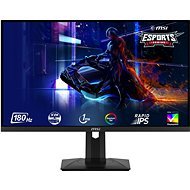
I've been choosing a monitor for a while, and since I need to work on a monitor at home more and more in the last few years (home office), I had to let my taste for OLED go and buy a much more versatile and text-friendly IPS panel. However, the first piece was defective and one pixel was red. With the new piece I also found a small defect in the upper right corner, but that's only because I used a magnifying glass after a previous experience (three pixels are slightly darker, it looks like a small speck). But unlike the glowing red pixel, unless I'm explicitly looking for it, I don't know about it, so I don't address it. You'll immediately notice more saturated colours when you turn it on. I switched to sRGB profile and haven't played with it more yet. Since I tried to look at some photos, the colors look nice to me, but I'll borrow a probe at work and do a calibration eventually. I definitely feel that the monitor displays very nice blacks for an IPS panel, and even after almost two weeks, it never ceases to amaze me. However, if I didn't need a USB hub and usable usb-c power, I would probably go for a cheaper model without QD for now. Thanks to the lack of PWM brightness control, my eyes/head don't hurt even after a full day of work. I didn't believe it could be that and it probably was (and I had a monitor with 400Hz PWM, so definitely not the cheapest). I was surprised that the high frequency is felt even during normal work. Scrolled text is much easier to read. You get the same experience from browsing the web as on a mobile phone. You just need to manually switch it on, it is set to 60 Hz by default and you need to use the appropriate cable. In the delivery there is only DP, which I have on my laptop only in the form of usb-c. The cheap hdmi cable I found at home did not support high frequencies. Likewise, for games you need to enable image synchronization both in the monitors menu and in the graphics card settings (at least with nVidia it doesn't detect itself). The connection was realized with a usb-c cable (usb4 standard), which represents an additional cost. However, the monitor is then connected only by this cable, which also serves the usb hub and powers the laptop. The Monir has an external power supply, so there is only a thin, pliable cable leading to it, allowing all the speakers to be easily hidden in the positionable arm. Unfortunately, the hub is only usb2, which is enough to connect a microphone, keyboard and mouse, but connecting a fast disk is already a problem. Similarly, the power supply is only sufficient for a working laptop. A private gaming laptop 65 W does not even detect. It needs at least 75W, so I plug a 100W charger into its second usb-c and then a proprietary 240W cube for maximum power. This is the main reason for the downgrade, because for the money there could have been a 95W+USB3 hub, especially when connected via usb-c which supports all this. But I didn't want to get a docking station, where it's hard enough to find a model that will work with image synchronization (price 4k+). Therefore, I decided to make small concessions, but the lack of finishing touches brings down my rating.