
Reviews 27" HP OMEN 27k
Interested in reviews of 27" HP OMEN 27k? It got 4.4 out of 5 stars from our customers. Find specific customer reviews of 27" HP OMEN 27k below. We will appreciate if you also share your experiences with 27" HP OMEN 27k after purchasing.
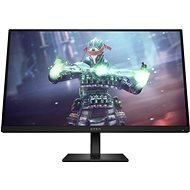
27" HP OMEN 27k
In stock > 5 pcs
532.90 €
Add to Cart

Anonymous customer
Rated 25/04/2026, variant 27" HP OMEN 27k
Verified purchase
After not even 1 year of use, black lines appeared on the screen that disappear only when you lower the refresh rate. I bought it for 144Hz and i can only use it on 120Hz not to have these flickering lines. I read that it's common on these budget 144Hz monitors (wish i would've known before).
I would not buy it again.
price
refresh rate
good when new
got broken after not even 1year of use
after 1 year has black lines on the screen if used on 144Hz so can be used only on 120Hz
0 ×Report

Vojtěch, Černilov
Rated 17/03/2025, variant 27" HP OMEN 27k
Verified purchase
great picture
firmly held
elegant monitor
option to set an ultra-sharp image
very good colors
backlight (many colours can be selected)
the screen can also be tilted in portrait mode
144Hz is possible even on an older Mac when connected via DVI->USB-C
the monitor setup software is not for Mac, probably not even for Linux, only for Windows
0 ×Report
Automatic translation
Pavlína, Zbůch
Rated 23/07/2024, variant 27" HP OMEN 27k
Verified purchase - review from a price comparison website
The monitor is great and I certainly wouldn' t change. The backlight looks very nice (especially at night), it' s just a shame that you can only choose from a few predefined colors and it' s not fully RGB or ambient (but for this feature I' d probably have to pay extra for a higher category, so for the money it serves its purpose - in the end I just use classic white anyway). Malinko also bothers me that the lighting goes around the stand, so it also casts a conical shadow on the wall (at least the shadow is symmetrical, so it doesn' t matter that much).
However, the power cable is a bit annoying, it stays in the monitor and disconnects when you lightly tap the monitor or move it. It is therefore best to plug it in and never touch the monitor again.
beautiful picture
nice backlight
design
the power cable keeps its word
lighting can only be selected from certain colors, it is not ambient
0 ×Report
Automatic translation

Kristýna, Opava
Rated 19/07/2024, variant 27" HP OMEN 27k
Verified purchase
The picture is average, too much bleed in the lower part of the display extending from both corners.
Definitely the slowest monitor I' ve come across (judged from the point of view of how quickly the monitor switches from one input to another). As an IT specialist, I have 2 to 3 inputs=devices connected to the monitor, and I consider it a necessity to quickly switch between them. My old HP monitor switches in about 1.5s, this " new" HP in 8-13s. unacceptable At the same time, the shortcut for switching the input (pressing the joystick up) is stupid, on most monitors, after pressing the shortcut, a window will pop up with a quick selection of video input = you choose, NOT here, the monitor will choose another one by itself? image input to switch to, which is not always the one you intended, stupid.
Monitor unusable for me, returned.
4K sharpness
significant backlight bleed in the lower right and left corners
unbearably slow switching between video inputs, if neither input has active adaptive sync, then switching takes 8 seconds, i. e. you look at a black screen for 8 seconds; if, however, at least one of the inputs has adaptive sync turned on, then the switch will be extended up to 13 seconds. this is definitely the SLOWEST monitor I' ve ever seen
working shortcut for switching between inputs
the stand does not have the option of being drawn to the right/left
0 ×Report
Automatic translation

Adam, Plzeň 21
Rated 06/04/2024, variant 27" HP OMEN 27k
Verified purchase
Nice colours but especially the sharpness
144 hz in 4k
0 ×Report
Automatic translation

František, Chuderov
Rated 06/02/2024, variant 27" HP OMEN 27k
Verified purchase - review from a price comparison website
I use it primarily for work, where I'm all about resolution and that's OK.
0 ×Report
Automatic translation
Customer, Praha
Rated 26/11/2023, variant 27" HP OMEN 27k
Verified purchase
Fantastic HDR, UHD, 144Hz
HP IPS screen quality
VESA
Sound built-in (at least nominally)
USB-C with PD, KVM (! ), and many other ports
Incredible price/value ratio
±60W PD (only), so it won't charge the MacBook Pro while working on it. However, a sleeping MacBook will charge: )

0 ×Report
Automatic translation
Anonymous customer
Rated 27/10/2023, variant 27" HP OMEN 27k
Verified purchase
4k 144hz, 400 nits brightness
accurate vibrant colors - select the native color profile in monitor settings for the best results
works great with a Mac, the volume buttons on your keyboard actually control volume of the built-in monitor speakers
pretty thin bezels, but not the thinnest
usable speakers
built-in KVM switch
could be VESA mounted
it says that the MacBook is charging but really the monitor provides no charge over USB-C (which is good in my opinion since it preserves battery health) - only gripe is that the charging icon is misleading
a bit heavy (especially with the stand) - not easy to move around the desk if needed
the provided USB-C cable is a bit short
0 ×Report
Automatic translation