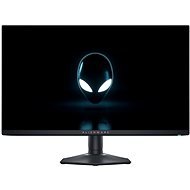
Interested in reviews of 27" Dell Alienware AW2725DF? It got 4.7 out of 5 stars from our customers. Find specific customer reviews of 27" Dell Alienware AW2725DF below. We will appreciate if you also share your experiences with 27" Dell Alienware AW2725DF after purchasing.
⭐⭐⭐⭐⭐ 5/5 The 27" Dell Alienware AW2725DF monitor really did pleasantly surprise me. Thanks to the QD-OLED panel, the picture looks stunning – the colours are vibrant, the blacks are truly black, and the HDR looks brilliant. A refresh rate of 360 Hz, combined with a response time of 0.03 ms, makes gaming an absolute joy – everything is beautifully smooth and fast. QHD resolution (2560 × 1440) is ideal for both gaming and everyday use. I also appreciate the modern design, simple setup and excellent positioning options. If you’re looking for a top-of-the-range gaming monitor and don’t mind investing in OLED technology, I can recommend this model.
A perfect picture and vibrant colours
Deep black thanks to QD-OLED
360 Hz and an extremely fast response
Quality workmanship
A brilliant gaming experience
Occasionally, the screen crackles slightly, but it doesn’t cause any problems when using it.
The screen gets dirty quite easily, so you need to wipe it down more often.
In the picture (the monitor on the left) So it is really excellent. The only problem I have is getting used to the colors, as compared to the IPS panel, the colors are really indescribably different and vivid. It's 360hz so shooters like CS2, Valorant and the like will play smoothly and really comfortably through the large range of colour palette.
As a last one I would pick up 2K resolution which is really a blast for a story game. I played Cyberpunk 2077 on it and it's really something incredible compared to FHD, If anyone is thinking whether to buy this monitor so I can only recommend all ten.
360hz
OLED
QD resolution
Price
The best monitor at this price for playing story, competitive games
After a long time, I thought I would move with the times and try an OLED monitor. I generally use the monitor daily for about 6h, mostly gaming, occasionally productivity. For prolonged use, it is necessary to perform a pixel refresh every 4h to maintain display quality and avoid burn-in effect. This process takes about 5 minutes, but you cannot use the monitor during this process. It's good for a forced break - shower, snack,. - but it's kind of a pain in the ass to think about, especially on a monitor with that price tag. If I were still in my peak WoW phase, I would even dare to say that it would annoy me. On the other hand, that 360Hz and OLED is something incredible in games. I don't have a comparison with IPS, since I've switched from a VA panel, but it's quite a significant difference, and I'm no expert on graphics and visual detail. If you can afford it, go for it: ) There's a microfiber cloth attached to the monitor, which is pretty handy because you can't practically touch the monitor, the print is pretty visible. If I was deciding again whether to buy or not, I would probably say no, purely because of the maintenance (pixel refresh and display cleanliness) and I would probably go for IPS. But that's just a given attribute of OLED technology and my style of use, and there's not much I can do about it yet, but that doesn't change the fact that the monitor itself is top of the shelf quality and can't be faulted on the technical side.
Some of the more sensitive ones may be bothered by the very subtle flickering display when VRR is on. We had to get used to manipulating the joystick, it kept automatically bidding the function up and down.
2k resolution
OLED Contrast (Infinite)
Beautiful colors
Subtle VRR Flicker
Somewhat confusing software
The joystick to adjust the monitor is from underneath
After 10 years of upgrading and it's an incredible difference. In the peas beautiful clean smooth movement. Excellent for gaming, watching movies and working. The price can be an advantage for someone and a disadvantage for someone. For me the best monitor for a good price.
picture of massacres
360 Hz
price
response
price
0 ×Report
Automatic translation
Try our cookies
Alza.cz a. s., Company identification number 27082440, use cookies and other data to ensure the proper functioning of the website and, with your consent, also, among other things, to personalize advertising and the content of our websites. By clicking on the “I understand“ button, you agree to the use of cookies and the transfer of data regarding the behavior on the website for displaying targeted advertising on social networks and advertising networks on other websites.