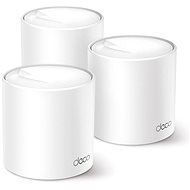
Interested in reviews of TP-Link Deco X50(3-pack)? It got 4.7 out of 5 stars from our customers. Find specific customer reviews of TP-Link Deco X50(3-pack) below. We will appreciate if you also share your experiences with TP-Link Deco X50(3-pack) after purchasing.
For a while it worked perfectly fine together with x60, but eventually Deco started to behave strangely. After the channel is tuned, the speed is reduced to 10/10 mbit. Restart helps, you can't change the channel manually, so you are actually stuck. After switching to ubiquity I don't notice this problem.
optimization of the site will take place so that it will reduce your speed to 10/10
I decided to switch from a site configuration of 2x M9 and 3x M5 to X50 and X50 Outdoor. I started the replacement gradually to find out if the replacement is worth it and if the site throughput will increase. The first X50 bought about 2 months ago and used as a main unit works great, no problem. So I bought a second piece and it's one big bummer. I put it in the place where the M9 was running without any problems before. Unfortunately, the second device is always soadny after a few hours, it glows red and the only chance is to disconnect from the power and reconnect. I played with the distance, got within a few metres and it still behaved the same. I complained, got a new device immediately. Unfortunately, the behaviour is exactly the same. The device disconnects after a few hours and does not reconnect without switching off. I have contracted TP Link support and so far the only response has been a dipoeution to reduce the distance to the next unit. But I did all this with the previous device. At the same time, TP Link is wondering about the fact that I have X50 HW version 1, which hasn't been sold for a while. So I recommend not to buy on Alza and verify the HW version with the supplier where you intend to buy. I'm currently waiting for another response from TP Link
if you go through the basic settings, then everything works without maintenance
the setup looks simple, but I had to restart the routers several times before everything caught up as it should
even though everything seemed to work on the device, it was not displayed correctly in the application. only several restarts of the application helped
great accessibility in the open space, after closing the door the accessibility noticeably decreases
In our duplex apartment, the system did not work. Our old dual-band router + extender easily put it in the pocket. The loss of speed was huge no matter where I tried to place the second satellite. And I'm not going to pay a bundle just to make it look like one network at the cost of 10x slower wifi on the second floor.
nice app, where everything basic can be set in peace
at first glance I would say that there are fewer settings in the app than in the regular router administration, but everything I needed so far I found in the app
No loss of speed or ping in the mesh even three walls and 30m away
0 ×Report
Automatic translation
Try our cookies
Alza.cz a. s., Company identification number 27082440, uses cookies to ensure the functionality of the website and with your consent also to personalisage the content of our website. By clicking on the “I understand“ button, you agree to the use of cookies and the transfer of data regarding the behavior on the website for displaying targeted advertising on social networks and advertising networks on other websites.