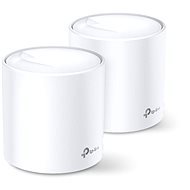
Interested in reviews of TP-Link Deco X20 (2-pack)? It got 4.6 out of 5 stars from our customers. Find specific customer reviews of TP-Link Deco X20 (2-pack) below. We will appreciate if you also share your experiences with TP-Link Deco X20 (2-pack) after purchasing.
Verified purchase - review from a price comparison website
It met expectations, we have a complicated apartment shape for regular routers with the inability to stretch cables reasonably to the AP, so this is one of the few functional options and works absolutely great.
Verified purchase - review from a price comparison website
I use it as an access point (AP), signal quality the same as older hardware. The improvement is mainly thanks to WiFi 6, which older hw of course did not have, and which new laptops or smartphone "secretly" require.
I bought 2pcs to improve the signal around the house and garden. Which was done without any problems. I only use it as an AP, so routing is still running on my old router. I'm slightly disappointed that in order to set both up as APs, I had to create a TP-Link account. I don't know why it can't be set up without registration especially when I use them as AP. The TP-Link account has no added value for me.
Wifi 6
WPA3
Access point
You can't set it up without creating an account with TP-Link, i.e. offline (or I must have missed something but I searched for this one but didn't find it)
when loading a page or an application, it always gets stuck for about 5 seconds and then it loads. probably due to the built-in protection which cannot be turned off, only upgraded to the paid version. unusable for me, I'm going back to an older TP Link with less coverage and an older WiFi standard just because of the huge speedup after the downgrade
TP-Link has been working for me for years, so I am certainly willing to forgive it for some things :-) However, there's probably nothing here, it's not a set for ten thousand. It's easy to set up, the units look nice and even in the busy environment of a prefab house I have seamless wifi everywhere including the balcony in my 3+1. If you switch to Mesh systems, always delete the old wifi network on each device and log in after setting a permanent MAC address for your mobile/tablet. Then the function is usually seamless. Of course, if possible, connect the units via cable - you save data transfer over the air -> be careful here, if you are going to connect via switch, sometimes Mesh communication will not go through and the other unit will be connected via wifi. If you need a switch, the only way is to connect it to the lan output of the second unit.
The units also communicate via TP-Link switch
Consumption of the main unit during normal operation (web + NAS playback) about 7W
It is possible to set fixed IP addresses for devices
Nice processing of custom units and control application
Wifi6 - future support, WPA3.
Limited wifi settings (channel, transmit power. )
Need an account with TP-Link -> but again you have the possibility to look into the network from anywhere
The whole system has a very nice design and the overall setup via the app is very simple. The mobile app is clear. I would have appreciated more settings like changing the Wi-Fi channel, etc. Unfortunately, after about 6 months the system started to report an error in the Internet connection, even though the Internet was available and it was necessary to re-set/reset the system at least 1 weekly.
Easy setup
Nice minimalist design
Mobile applications
Limited setting options, e.g. change Wi-Fi channel
Alza.cz a. s., Company identification number 27082440, uses cookies to ensure the functionality of the website and with your consent also to personalisage the content of our website. By clicking on the “I understand“ button, you agree to the use of cookies and the transfer of data regarding the behavior on the website for displaying targeted advertising on social networks and advertising networks on other websites.