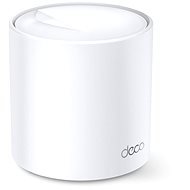
Interested in reviews of TP-Link Deco X20 (1-pack)? It got 4.6 out of 5 stars from our customers. Find specific customer reviews of TP-Link Deco X20 (1-pack) below. We will appreciate if you also share your experiences with TP-Link Deco X20 (1-pack) after purchasing.
I have had it for half a year and it works perfectly, I used 3 stations to cover a larger apartment, full signal everywhere in the apartment, speed about 500 Mbps through one wall, 200 Mbps through two walls from the central station. I've connected a computer to one of the remote stations with a cable, and it's as if it's wired directly to the central station, no latency. Setting it up via the mobile app is fine.
Speed
Ease of setup
Smooth transition between rooms
Possibility to connect a computer on the other side of the apartment without pulling cables
Verified purchase - review from a price comparison website
It met expectations, we have a complicated apartment shape for regular routers with the inability to stretch cables reasonably to the AP, so this is one of the few functional options and works absolutely great.
Verified purchase - review from a price comparison website
I use it as an access point (AP), signal quality the same as older hardware. The improvement is mainly thanks to WiFi 6, which older hw of course did not have, and which new laptops or smartphone "secretly" require.
the mesh can be set up without the unit even with the help of network cables and the main router does not have to be from the deco set
it is a pity that tplink allows to mesh only within the Deco series or, on the contrary, only outside it. the costs of what to do with other routers, from tplink, which unfortunately do not work with this network in the mesh frame
I bought 2pcs to improve the signal around the house and garden. Which was done without any problems. I only use it as an AP, so routing is still running on my old router. I'm slightly disappointed that in order to set both up as APs, I had to create a TP-Link account. I don't know why it can't be set up without registration especially when I use them as AP. The TP-Link account has no added value for me.
Wifi 6
WPA3
Access point
You can't set it up without creating an account with TP-Link, i.e. offline (or I must have missed something but I searched for this one but didn't find it)
when loading a page or an application, it always gets stuck for about 5 seconds and then it loads. probably due to the built-in protection which cannot be turned off, only upgraded to the paid version. unusable for me, I'm going back to an older TP Link with less coverage and an older WiFi standard just because of the huge speedup after the downgrade
super speed! I had a P9 and this is a rocket compared to that.
0 ×Report
Automatic translation
Try our cookies
Alza.cz a. s., Company identification number 27082440, uses cookies to ensure the functionality of the website and with your consent also to personalisage the content of our website. By clicking on the “I understand“ button, you agree to the use of cookies and the transfer of data regarding the behavior on the website for displaying targeted advertising on social networks and advertising networks on other websites.