
Reviews TP-Link Deco M5 (2-pack)
Interested in reviews of TP-Link Deco M5 (2-pack)? It got 4.8 out of 5 stars from our customers. Find specific customer reviews of TP-Link Deco M5 (2-pack) below. We will appreciate if you also share your experiences with TP-Link Deco M5 (2-pack) after purchasing.
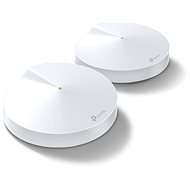
TP-Link Deco M5 (2-pack)
In stock
168.90 €
133.29 €
Add to Cart

Customer, Bratislava Nove Mesto
Rated 15/02/2021, variant TP-Link Deco M5 (2-pack)
Verified purchase
Super easy setup
None
0 ×Report
Automatic translation

Anonymous customer
Rated 28/10/2023, variant TP-Link Deco M5 (2-pack)
Verified purchase
simple connection and setup
in the old house, where I wanted to provide a connection in the basement, so through the concrete floor, where there are iron lintels, the signal passes to a minimum and drops out (the direct distance from the M5 is 2 meters).
in the same way, within one floor (horizontally) in the old house, where there are thicker walls, the signal does not reach everywhere - but upstairs, where there are filled ceilings with wooden lintels, the signal goes OK
on the photo the signal is in the basement, about 2 meters from Deco M5, which is on the ground floor directly above the measurement

0 ×Report
Automatic translation

Lukáš, Žďár nad Sázavou
Rated 16/11/2022, variant TP-Link Deco M5 (2-pack)
Verified purchase
I recommend connecting the units via LAN cable. Where you will always achieve the best and highest possible speed in the room. Maybe for 4 floors ( 3 units ideal). One floor or you can skip. This will cover the lower and upper unit. Or put a 4,3,2 floor unit and 1 floor sufficientsignal too will be. it is always better to place the unit in the middle of the house or in the corridor. It depends on the size of the apartment. For example, our house is 90m2 every floor and the signal is everywhere.
Perfect coverage of 4 floors
I recommend to connect the units by LAN cable.
antivirus
network priority settings( games, videos, etc.
0 ×Report
Automatic translation
Gazpacho s.r.o., Praha 5 - Radotín
Rated 29/12/2020, variant TP-Link Deco M5 (2-pack)
Verified purchase
in 5 min it works without a problem. I would need about 3 pieces, but they have performance and work 2.4/5 at once, no extra configuration.
you have to install the app, which I didn't want to do, but at least it's stable and you can check a few things.
0 ×Report
Automatic translation

Miroslava, Hviezdoslavov
Rated 23/01/2022, variant TP-Link Deco M5 (3-pack)
Verified purchase
Strong signal
High speed
High price
0 ×Report
Automatic translation

MiroM s.r.o., Bratislava
Rated 09/09/2021, variant TP-Link Deco M5 (1-pack)
Verified purchase
easy installation
partially fulfilled the purpose (I have internet where I needed it - but with a big drop in speed/decrease in signal strength)
surprisingly for me a bigger drop in internet speed/drop in signal strength when moving away from the unit than I expected
significant drop in internet speed/ signal strength between floors (and between units on different floors)
the coverage area mentioned in the description should be taken with a considerable margin (but this is probably true for all similar products)
they write that more Deco units create 1 network within which it is possible to move the device without interruption, but I have noticed a couple of times that the connection to the net for a short time occasionally breaks when I move from the range of 1 unit to another
for the price I expected much more
0 ×Report
Automatic translation

Peter, Teriakovce
Rated 05/04/2021, variant TP-Link Deco M5 (3-pack)
Verified purchase
Excellent coverage
Excellent throughput
The benefits of having a functional mesh network outweigh the negatives significantly with the setup and app.
Problems with the first setup and pairing
In my opinion, the application is cluttered
Changing the mode from router ( default) to AP required a complete reset and re-setting of the primary station, then changing the mode to AP and only then connecting the other stations
A bit of a pain through the app.
0 ×Report
Automatic translation
HR-ESAP s.r.o., Košice - Sever
Rated 18/05/2019, variant TP-Link Deco M5 (3-pack)
Verified purchase
easy installation, excellent signal, in a 3-storey house of 360 m2 with relatively thick walls the signal is everywhere
none
0 ×Report
Automatic translation

Roman, Kladno
Rated 28/07/2025, variant TP-Link Deco M5 (3-pack)
Verified purchase
Works as described and performance stable. Installation intuitive.
0 ×Report
Automatic translation

Martin, Hvozdnice
Rated 21/03/2025, variant TP-Link Deco M5 (3-pack)
Verified purchase
I use the system to cover about 200m2 in a two-storey family house, in AP mode, where individual points are connected by Ethernet. MESH works very reliably, the speed is sufficient. The setup is very simple, but this can be limiting for users with higher configuration requirements. Wifi support for IoT has been added to the FW, however, these elements cannot be easily associated with Ethernet connected devices.
overall I recommend the system, the price-performance ratio is very good.
price
coverage
power
ease of configuration
unclear information about network setup for IoT - wifi part without problems, but how to connect devices on Ethernet to see each other, you simply do not learn
0 ×Report
Automatic translation