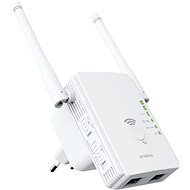
Interested in reviews of STRONG Universal Repeater 300 v2? It got 3.9 out of 5 stars from our customers. Find specific customer reviews of STRONG Universal Repeater 300 v2 below. We will appreciate if you also share your experiences with STRONG Universal Repeater 300 v2 after purchasing.
As an IT guy I was quite disillusioned with this product, so in the end I somehow, plus or minus, made it to a satisfactory state. The menu is very simple, I have connected the LAN cable to WAN/LAN1 and I use it in repeater mode. At home I have a subnet 192.168.8.0/24, router with DHCP of course on 192.168.8.1 and so the plan was to turn off DHCP and put it on the IP behind the extender from the living room, i.e. 192.168.8.7. But you can't turn off DHCP in the settings! Only the IP address and mask can be set, and when I put it to 192.168.8.7/255.255.255.0, it switched itself from the default 192.168.10.1 to 192.168.11.1: -D! The computer connected to LAN2 then gets DHCP Strong from 192.168.11.100, but it sees 192.168.8.0/24 on my network, so I switched it to 192.168.9.1 to keep it together, the 255.255.254.0 mask doesn't work. So the bill, to extend the WiFi in the little one's room, it somehow filled the bill, but in a rather strange way. I have a TP-Link RE315 in my living room and it works as expected.
Alza.cz a. s., Company identification number 27082440, use cookies and other data to ensure the proper functioning of the website and, with your consent, also, among other things, to personalize advertising and the content of our websites. By clicking on the “I understand“ button, you agree to the use of cookies and the transfer of data regarding the behavior on the website for displaying targeted advertising on social networks and advertising networks on other websites.