
Reviews Satechi Slim X3 Space Grey - CZ
Interested in reviews of Satechi Slim X3 Space Grey - CZ? It got 4.0 out of 5 stars from our customers. Find specific customer reviews of Satechi Slim X3 Space Grey - CZ below. We will appreciate if you also share your experiences with Satechi Slim X3 Space Grey - CZ after purchasing.
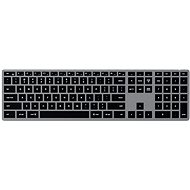
Satechi Slim X3 Space Grey - CZ
In stock > 5 pcs
100.90 €
Add to Cart

Jaroslav, Praha 4 - Nusle
Rated 04/11/2026, variant Satechi Slim X3 Space Grey - CZ
Verified purchase
The Satechi Slim X3 is a keyboard I really wanted to keep. The design is excellent, typing on it feels great, and the four Bluetooth profiles along with the USB-C connection represent a very pleasing combination. For everyday work in macOS, it could be an almost ideal alternative to the Apple Magic Keyboard, especially if you need to switch between multiple devices. Unfortunately, I work as an IT administrator and regularly use Windows, VMware Workstation, and RDP remote desktops. When creating technical documentation, I often take screenshots of active windows using Alt+Print Screen. And that is exactly where this keyboard hit a wall. I managed to solve the missing Insert key by changing the shortcut in VMware. I tried to replace Print Screen by remapping F13 using PowerToys. This solution worked locally, but I couldn't get the desired behaviour to work in remote RDP sessions. Yet, it would take so little: to allow remapping of the F13–F15 keys directly in the keyboard so that they send standard keycodes. One of these keys could then function as Print Screen without relying on helper software. And that is indeed the biggest shame. The keyboard has three extra function keys (F13–F15), but lacks the option to use at least one of them for a function I actually need. After several hours of testing, I therefore returned to the Logitech MX Keys S, where everything works without any adjustments. The Satechi Slim X3 is definitely not a bad keyboard. On the contrary, it is excellent in many ways. It is just necessary to distinguish between compatibility with Windows and full-fledged comfort during professional work in a Windows environment. Verdict: A beautiful keyboard with an excellent typing feel, which I was really reluctant to return. A very interesting choice for macOS users. For an IT administrator working with RDP, unfortunately, a compromise that is simply too big.
Very successful design, high-quality workmanship and an elegant low profile.
Excellent typing feel, very close to the Apple Magic Keyboard.
Option to connect up to four devices via Bluetooth and option to connect via USB-C as well.
Convenient switching between devices.
A very interesting alternative to the Apple Magic Keyboard at a significantly lower price.
It is missing a separate Print Screen and Insert key.
The F13–F15 keys cannot be custom-remapped directly in the keyboard's firmware.
Limited customisation options for more advanced work in Windows.
Remapping F13 to Print Screen using PowerToys worked locally, but it wasn't possible to get standard screenshot capturing working over a connected remote desktop.
Two keys to the left of the Enter key are a different size to the other keys (not counting the top row of multimedia, toggle and function keys).
Lack of better support for working in Windows.
0 ×Report
Automatic translation

Petr, Praha 13
Rated 18/03/2026, variant Satechi Slim X3 Space Grey - CZ
Verified purchase
Disappointment, keyboard returned. It looks luxurious, but not user-friendly.
Czech localization and key layout
fast switching between devices
backlight
the rubber feet are bent
bluetooth started not working, sometimes it disconnected and took a while to reconnect. I had to on/off
0 ×Report
Automatic translation

David, Ostrava
Rated 25/04/2025, variant Satechi Slim X3 Space Grey - CZ
Verified purchase
Excellent price-performance ratio!
Fully replaces overpriced Apple keyboards
Backlighting always comes in handy
Everything works as it should
The workmanship is surprising, let's see how long the load lasts
0 ×Report
Automatic translation