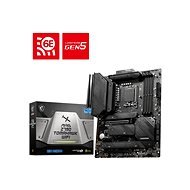
Interested in reviews of MSI MAG Z790 TOMAHAWK WIFI? It got 4.8 out of 5 stars from our customers. Find specific customer reviews of MSI MAG Z790 TOMAHAWK WIFI below. We will appreciate if you also share your experiences with MSI MAG Z790 TOMAHAWK WIFI after purchasing.
The board is really well made, it has plenty of passive heatsinks and offers connection of up to four Nvme SSDs, which is excellent. The advantage for me is that it doesn't have RGB. The MSI Bios is fine and works great. I upgraded from MAG B365M Mortar and I have no regrets, I can only recommend it. A flash drive is also included.
Care should be taken with the height of the heatsink on the motherboard, as in some cases it could make it impossible to install water cooling in the top. That's the only thing to think about. Otherwise, I have had it in operation for a year and I am very satisfied. The temperatures are excellent, the heatsink cools the M.2 drives perfectly and the overall design is really high quality. The number of ports is quite sufficient for today's standards. I actively use an Xbox X controller via Bluetooth and everything works without any lag, as does WiFi up to 5 GHz. In the package you get some nice stickers and a nice MSI flashdisk, I don't know exactly what for but probably to install your chosen Bios.
great passive cooling
plenty of slots for all your toys
four M2 drive slots (minus the one mentioned below)
quality wify
amazing audio
lots of female connectors on the backplane
iron fittings around the PCIe for the graphics card
for gamers, M2 slots are only two and three, M2_1 is connected directly to the CPU, M2_2 will only reduce the performance of the graphics card to PCIe 8x from the original 16x, M2_3 will disable two SATA connections, M2_4 is standalone and does not reduce or disable anything. however, if you don't need SATA you still have a great three M2 slots.
Overall, the board has a rich set of connection options. The only thing that is needed is to update the BIOS to processors of the 14th generation and higher.
I got a piece on which in no way works update bios directly from the flash drive using the button to update bios on the rear panel. Tested both with the original USB flash drive that comes with the board and with two others. BIOS flash procedure according to the manual of course + video instructions. Nothing works, I'm returning the board and buying another one that already supports 14th gen processor from the factory.
tl: dr solid board
number of usb ports
number of m.2 slots, m.2 covers act as heat sinks
solid workmanship
Too bad it doesn't work with i9-14900KF
high failure rate according to internet browsing, problems with power on, flash bios, overall board recovery
0 ×Report
Automatic translation
Try our cookies
Alza.cz a. s., Company identification number 27082440, uses cookies to ensure the functionality of the website and with your consent also to personalisage the content of our website. By clicking on the “I understand“ button, you agree to the use of cookies and the transfer of data regarding the behavior on the website for displaying targeted advertising on social networks and advertising networks on other websites.