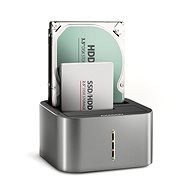
Interested in reviews of AXAGON ADSA-DC, dual SATA 2.5"/3.5" SSD/HDD CLONE dock, USB-C 5 Gbps? It got 4.8 out of 5 stars from our customers. Find specific customer reviews of AXAGON ADSA-DC, dual SATA 2.5"/3.5" SSD/HDD CLONE dock, USB-C 5 Gbps below. We will appreciate if you also share your experiences with AXAGON ADSA-DC, dual SATA 2.5"/3.5" SSD/HDD CLONE dock, USB-C 5 Gbps after purchasing.
It's an absolute joy to use. For two up to 20TB drives, it takes longer to start, but they both run simultaneously at full up to 5Gbps USB3 speed, respectively. SATA3.
16TB + 20TB both at the same time with a total throughput approaching 480MB/s and therefore almost full utilization of USB3 5Gbps: -)
doesn't take up much space on the table, although its own space is almost infinite, at least for data: -D
it conducts heat from the drives quite well (although I don't understand how in a plastic shaft with SATA connector), because despite full load it keeps incredible 26 and 27C, whereas in the last dock they went up to 43C: -(
For me an excellent buy or a lot of music for little money; -)
It doesn't seem to break partition tables compared to the last generation, and that's also a big plus when you lose your valuable data because of a stupid dock.
The data cable really doesn't look robust: -D Such a diameter of about 1.5-2mm - I was expecting a thicker and especially stronger piece, but it works so it's more a concern for the future than a real minus.
Unfortunately, the dock has a major problem that at least on Linux (kernel 6.12) TRIM does not work. So this dock is completely unsuitable for running SSDs or SMR HDDs, because without TRIM these drives would start to slow down significantly and SSDs would experience a significant reduction in lifetime. (On Windows, TRIM shows as supported, but whether it really works, I have no idea).
The second thing that bothers me is that the 3.5" drives are tilted, because there is no spring to keep them upright, and just the connector doesn't keep it completely straight. Tilt is probably a long-term death sentence for rotating discs. There is a solution - stuff the hole with something to keep the disc from bending. But it's stupid.
transfer rate at the maximum of the SATA interface
SMART and spindown time setting works
lovely look
3.5" discs do not stand exactly straight, but slightly tilted (which is detrimental)
TRIM does not work (on Linux)
power button on the back, can be easily confused with the cloning button
Verified purchase - review from a price comparison website
Easy disk cloning
0 ×Report
Automatic translation
Try our cookies
Alza.cz a. s., Company identification number 27082440, use cookies and other data to ensure the proper functioning of the website and, with your consent, also, among other things, to personalize advertising and the content of our websites. By clicking on the “I understand“ button, you agree to the use of cookies and the transfer of data regarding the behavior on the website for displaying targeted advertising on social networks and advertising networks on other websites.