
Reviews ASUS Zenbook Flip OLED UP5401EA-OLED024T Pine Grey All-metal
Interested in reviews of ASUS Zenbook Flip OLED UP5401EA-OLED024T Pine Grey All-metal? It got 4.8 out of 5 stars from our customers. Find specific customer reviews of ASUS Zenbook Flip OLED UP5401EA-OLED024T Pine Grey All-metal below. We will appreciate if you also share your experiences with ASUS Zenbook Flip OLED UP5401EA-OLED024T Pine Grey All-metal after purchasing.
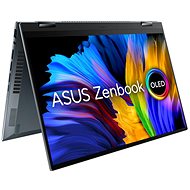
ASUS Zenbook Flip OLED UP5401EA-OLED024T Pine Grey All-metal
Discontinued

Milan, Voderady
Rated 17/02/2022, variant ASUS Zenbook Flip OLED UP5401EA-OLED024T Pine Grey All-metal
Verified purchase
an alternative for me is dell xps 13 2 in 1 oled, but it costs exactly twice as much as this asus. Of course, the quality of workmanship is worse, but the price is adequate.
at this point, I would like to ask alza not to call me after buying a laptop (it has happened many times) and tell me that my laptop will most likely break down in the third year, so I should insure it/extend the warranty. The warranty extension is already offered in the e-shop, so I see these phone calls as a last ditch attempt to sell insurance through scaremongering. it's very unpleasant, you should do something about it
the display is fantastic for this price range
quiet cooling at the level of premium brands
the power light is on the side, so it does not visually disturb in the dark
angular design that does not "cut hands"/is not uncomfortable to work with
the keyboard backlight is three-level and functionally it is probably the best I have seen
does not support windows hello face capture
when gripping an open laptop with the right hand and moving the laptop, the touchpad can click "from underneath"
the numpad activation button is impractical for a right-handed user because the ring finger inadvertently presses/touches it when working with the touchpad
the paintwork of the hinge came off in one place on the first day/or it was like that from the factory
0 ×Report
Automatic translation

Lukáš, Nová Bystřice
Rated 25/04/2022, variant ASUS Zenbook Flip OLED UP5401EA-OLED024T Pine Grey All-metal
Verified purchase
Positives:
Touchpad/numpad: It is addictive to use, it saves space on the right and it is more comfortable than switching between Czech and English keyboards or typing digits on the Czech keyboard with shift pressed, which at least for me I will probably never get used to because it is a row instead of a square.
Linux compatible: I am used to using linux, specifically the elementary os distribution, currently loki 6.1 built on ubuntu. I had a problem with the drivers, with the Asus Pen with a non-functioning erase button, the numpad partly didn't work and some special keys with Fn pressed didn't either. I've done all the flaws / drivers https://github.com/asus-linux-drivers, most distributions are supported
Touchscreen: Byť se mi nestává často, že bych otáčel a používal laptop jako tablet, tak touschreen je skvělý při scrollování / přibližování pinch in/out gestem a to i přesto, že už na přibližování myší existuje do prohlížečů rozšíření Mouse Pinch-To-Zoom, "šáhnout si" občas na obrazovku je pro mě často rychlejší a praktičtější
Negativa
Tlačítko na touchpadu vlevo nahoře je navíc: This version of the laptop does not have a multi-level touchpad backlight. Only off, on. In the Linux version of the drivers I have set the position where the button is as configurable for any other keyboard shortcut.
Touchpad/numpad
Linux compatible
Touchscreen
The button on the touchpad on the top left has no function by default in this version
0 ×Report
Automatic translation

Libor, Rožnov pod Radhoštěm
Rated 13/04/2022, variant ASUS Zenbook Flip OLED UP5401EA-OLED024T Pine Grey All-metal
Verified purchase
Really great OLED. It's not fully 4k but again it has 90Hz.
Colours, contrast maximum brightness 550 nits yet very low brightnesses can be adjusted. Regulation quite smooth, does not seem to oscillate (it used to do me Lenovo with autoadaptation and later without it)
reliable
button travel lower than some other normal size ntb but it can be done
Great sensitivity of the fingerprint sensor on the power button
The battery life is quite good, maybe thanks to the OLED
Ergonomics is a personal matter. But what bothers me is the sharp edges of the laptop. I don't mean somehow unpolished, but a design with sharp edges of the laptop
Personally, it bothers me that the screen drops down when opening (not like other Asus, it's a flip but I prefer the screen as far up as possible)
Keyboard pretty much into the corners. Older ZenBooks were larger but could be held by the side edges
Keyboard and touchpad unnecessarily low at the front of the NTB, I would move everything up 2 cm, where the place is
I'd prefer a harder hinge. I don't appreciate the supposedly one-handed opening option. It's not exactly soft but.
0 ×Report
Automatic translation

Dalibor, Vyškov
Rated 17/02/2022, variant ASUS Zenbook Flip OLED UP5401EA-OLED024T Pine Grey All-metal
Verified purchase
Laptop processing quality
14" 16:10 OLED display (beautiful picture)
FLIP + touch display
Price/performance
Sound HARMAN/KARDON
Compatible with WINDOWS 11
Nothing
0 ×Report
Automatic translation

Petr, Děčín
Rated 06/02/2022, variant ASUS Zenbook Flip OLED UP5401EA-OLED024T Pine Grey All-metal
Verified purchase
I guess there is nothing more to say. Definitely worth buying for work, travel.
Quiet (passive cooling until high system load occurs - not often! )
Lightweight for its all-metal construction
It looks very high quality and premium
Speed, power
Fingerprint reader - virtually touch and you're logged in
Long battery life compared to competitors
In the package touch pen, cover
Socket for 3.5mm audio jack
Harman / Kardon sound system
The picture is without fault, brightness, contrast, colors. (PANTONE validated)
FLIP & Touch (2in1)
The cover included in the package is not quite 100% satisfactory - it is a plate into which the notebook slides from the top and flips over with the rest of the cover, practically like an envelope. However, the touch pen (which is included) is stored under the actual "lid" of this (envelope) and if you do not use it right now, but leave it in the cover, so when you pull out or put the laptop back in, it is in the way - the possibility of unnecessary scratching the laptop.
The touch pen doesn't have its slot in the laptop, but I wouldn't necessarily see that as a flaw - it would be at the expense of something else (components - performance, battery, weight. )
0 ×Report
Automatic translation