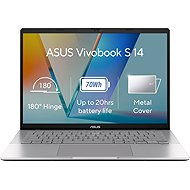
Interested in reviews of ASUS Vivobook S14 S3407CA-LY008W Cool Silver Metallic? It got 5.0 out of 5 stars from our customers. Find specific customer reviews of ASUS Vivobook S14 S3407CA-LY008W Cool Silver Metallic below. We will appreciate if you also share your experiences with ASUS Vivobook S14 S3407CA-LY008W Cool Silver Metallic after purchasing.
ASUS Vivobook S14 S3407CA-LY008W Cool Silver Metallic
Rated 30/12/2025, variant ASUS Vivobook S14 S3407CA-LY008W Cool Silver Metallic
Verified purchase
I am satisfied with the purchase
0 ×Report
Automatic translation
Company
Rated 11/04/2025, variant ASUS Vivobook S14 S3407CA-LY008W Cool Silver Metallic
Verified purchase
Chip-set: With the Samsung 9100 PRO 1TB SSD upgrade (Part number: MZ-VAP1T0BW, Alza code: SAS9100p3), the speed increased only slightly. Original 1TB NVMe SSD Micron Technology MTFDKBA1T0QGN-1BN1AABGA: Read:6.984Gbps, Write:5.825Gbps. Samsung 9100 PRO 1TB: Read:7.131Gbps, Write:6.612Gbps, see picture. So if you intend to upgrade the drive, it's more likely to be bigger than faster. Upgrade RAM: The manufacturer does not specify the type of 16GB DDR5 to upgrade to 32GB. There are chips on the motherboard: Micron Technology MTC8C1084S1SC56BD1, so DDR5 16GB, PC5-5600, 1.1V, CL=46 memory is suitable for upgrade. Works with Crucial SO-DIMM 16GB DDR5 5600MHz CL46 (Part number: CT16G56C46S5, Alza code: CR113gd5c2) Graphics: On HDMI it offers a bit depth (Bits Per Channel) of 8, 10 and 12 bits, but on a 2K monitor (EIZO CG279X, 2560x1440px) it will offer only 30Hz refresh rates for 12-bit, see picture. At 8-bit it's 60Hz. Boot from USB: After upgrading the SSD, it was empty and did not reach any Boot Loader, it failed to boot normally from USB (FLASH Disk for Windows prepared by MediaCreationTool utility, for Linux by Rufus). In the BIOS (at the time of the last upgrade version 303 2025/03/31) it was necessary to force the boot in the /Save & Exit/Boot Override/Launch EFI Shell from filesystem device/ section and copy the files on the USB FLASH drive (Windows: /efi/boot/bootx64. efim, Linux: /EFI/boot/grubx64. efi) to the root directory named Shell. efi. (If the SSD contains Windows Boot Loader, then boot from USB FLASH works as expected) Subjectively: I am very satisfied with the laptop. I bought it for occasional work on the go (with the ability to run a virtual machine) and the limitations mentioned don't particularly bother me. Sources: Original RAM: https://www.micron.com/products/memory/dram-modules/sodimm/part-catalog/part-detail/mtc8c1084s1sc56bd1 Original SSD: https://www.micron.com/products/storage/ssd/client-ssd/2500-ssd/part-catalog/part-detail/mtfdkba1t0qgn-1bn1aabyyt Upgrade SSD: https://semiconductor.samsung.com/consumer-storage/internal-ssd/9100-pro/ https://www.alza.cz/samsung-9100-pro-1tb-d12829169. htm Upgrade RAM: https://www.crucial.com/memory/ddr5/ct16g56c46s5 https://www.alza.cz/crucial-so-dimm-16gb-ddr5-5600mhz-cl46-d7987956. htm
Compact size and weight
Perfect processing
Matte display
Upgradeable RAM to 32GB (see text)
12-bit graphic output (see text)
Luxury design
slower chipset (see text)
low refresh rate on a professional 2K monitor (see text)
no SD card reader
a bit strange booting with a clean SSD (see text)
0 ×Report
Automatic translation
Try our cookies
Alza.cz a. s., Company identification number 27082440, use cookies and other data to ensure the proper functioning of the website and, with your consent, also, among other things, to personalize advertising and the content of our websites. By clicking on the “I understand“ button, you agree to the use of cookies and the transfer of data regarding the behavior on the website for displaying targeted advertising on social networks and advertising networks on other websites.