
Reviews AKASA DVI - HDMI (DVI-D M <-> HDMI F)
Interested in reviews of AKASA DVI - HDMI (DVI-D M <-> HDMI F)? It got 4.9 out of 5 stars from our customers. Find specific customer reviews of AKASA DVI - HDMI (DVI-D M <-> HDMI F) below. We will appreciate if you also share your experiences with AKASA DVI - HDMI (DVI-D M <-> HDMI F) after purchasing.
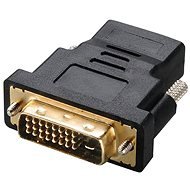
AKASA DVI - HDMI (DVI-D M <-> HDMI F)
Discontinued

Peter, Senec
Rated 26/03/2022, variant AKASA DVI - HDMI (DVI-D M <-> HDMI F)
Verified purchase
It works
0 ×Report
Automatic translation

Emil, Košice - Nad jazerom
Rated 26/08/2021, variant AKASA DVI - HDMI (DVI-D M <-> HDMI F)
Verified purchase
works as it should
nothing
0 ×Report
Automatic translation

Filip, Bratislava - Karlova Ves
Rated 12/05/2020, variant AKASA DVI - HDMI (DVI-D M <-> HDMI F)
Verified purchase
works both ways
0 ×Report
Automatic translation

Ján, Bratislava
Rated 06/05/2020, variant AKASA DVI - HDMI (DVI-D M <-> HDMI F)
Verified purchase
just works
none
0 ×Report
Automatic translation

Roman, Bratislaava
Rated 06/05/2020, variant AKASA DVI - HDMI (DVI-D M <-> HDMI F)
Verified purchase
Funky
Nothing
0 ×Report
Automatic translation
Roman, Modra
Rated 23/05/2019, variant AKASA DVI - HDMI (DVI-D M <-> HDMI F)
Verified purchase
Works great
0 ×Report
Automatic translation

Peter, Hamuliakovo
Rated 27/05/2018, variant AKASA DVI - HDMI (DVI-D M <-> HDMI F)
Verified purchase
works
0 ×Report
Automatic translation
Andrej, Bratislava - Petržalka
Rated 07/05/2018, variant AKASA DVI - HDMI (DVI-D M <-> HDMI F)
Verified purchase
my Samsung monitor has only VGA and DVI inputs. I couldn't use the maximum resolution of the monitor through the VGA output of the laptop so I wanted to use the digital output of the HDMI laptop.
for the low price I bought at the same time a reducer with a flexible end on the HDMI side
0 ×Report
Automatic translation
Customer, Bratislava - Rača
Rated 28/03/2018, variant AKASA DVI - HDMI (DVI-D M <-> HDMI F)
Verified purchase
genius
nothing
0 ×Report
Automatic translation

DR SERVICES s. r. o., Dunajská Lužná
Rated 04/02/2018, variant AKASA DVI - HDMI (DVI-D M <-> HDMI F)
Verified purchase
It works flawlessly so far. Connect the Surface dock and external monitor via HDMI cable and Mini Display Port to HDMI reduction.
0 ×Report
Automatic translation