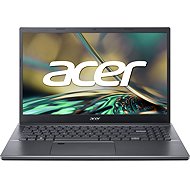
Interested in reviews of Acer Aspire 5 Steel Gray Metallic (A515-57G-50DR)? It got 2.0 out of 5 stars from our customers. Find specific customer reviews of Acer Aspire 5 Steel Gray Metallic (A515-57G-50DR) below. We will appreciate if you also share your experiences with Acer Aspire 5 Steel Gray Metallic (A515-57G-50DR) after purchasing.
To install Windows it is probably easiest to start F2 BIOS after turning on the ntb, in the MAIN menu press Ctrl+S and set VMD controller to disable and in the BOOT menu set boot from flsh disk
Alza.cz a. s., Company identification number 27082440, uses cookies to ensure the functionality of the website and with your consent also to personalisage the content of our website. By clicking on the “I understand“ button, you agree to the use of cookies and the transfer of data regarding the behavior on the website for displaying targeted advertising on social networks and advertising networks on other websites.