
Reviews 65" LG OLED65G45
Interested in reviews of 65" LG OLED65G45? It got 4.6 out of 5 stars from our customers. Find specific customer reviews of 65" LG OLED65G45 below. We will appreciate if you also share your experiences with 65" LG OLED65G45 after purchasing.
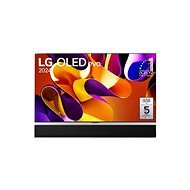
65" LG OLED65G45
Discontinued

Ivo, Zlín
Rated 23/07/2025, variant 65" LG OLED65G45
Verified purchase - review from a price comparison website
beautiful image, technically perfect
0 ×Report
Automatic translation

Samuel, Praha 5 - Motol
Rated 05/07/2025, variant 65" LG OLED65G45
Verified purchase
I upgraded from the LG CX it's made a huge difference. The difference in brightness is huge, in HDR in some scenes it burns your eyes. Paired with the Sonos Arc Ultra, it's an incredible cinematic experience. Also great for gaming on Xbox Series X.
when hanging on the wall it does not move at all
0 ×Report
Automatic translation

Martin, Úvaly
Rated 08/11/2024, variant 65" LG OLED65G45
Verified purchase
After years of using a 48" Samsung LED TV, I figured it was time for a change. The choice fell on OLED. I was deciding between the cheaper LG OLED65B4 and OLED65C4 models. When I came to see them in the showroom, I was clear. I need a G4: D She looks beautiful. It doesn't have a backpack with guts on the back like other TVs, but its back is covered with a cooler (and of course a cover), with only two and a half centimetres at the waist, and thanks to the recess for the included mount, there's almost no gap between the TV and the wall. It looks like a glossy board and it's just awesome. Because of the radiator it is almost 30 kg and I with my 160 centimeters had a hell of a problem to put it on the holder (the instructions clearly say that two people should handle it). But it was worth it. I just cursed myself for an hour and a half for not buying the stand version, but now I'm glad I did. The TV has several modes. One that the TV will come up with based on what pictures you click on, vivid (unrealistic colors and then the TV eats twice as much, but is the brightest. So flex mode), power saving, standard, cinema, sport, game mode and movie maker mode. Movie maker mode has all enhancements like pixel and frame counting turned off and has white balance set to warmest. However, you can customize all modes. Which is good, you can't create your own. LG brags a bit about 60W 4.2. sound, but don't buy that TV for that. If sound is your thing, just buy a soundbar. I have 2 mini homepods plugged into my Apple TV and it plays 100x better. Audio from homepods works with HDMI ARC on all inputs, you just need to plug it into HDMI 2. As far as upscaling goes, the TV won't tell you that fullHD just goes 4K or that 24 FPS goes 48. In each mode you can set Super Resolution and TruMotion to low, medium, high, off. Is it working? It's working. How much? I don't know. Frame counting is clearer. I'm on the fence about pixel counting. I don't know if it really works or if it's a placebo. But when I'm not examining it from 20 centimeters and watching normally from the couch, the fullHD film looks better. HDR and Dolby Vision look great. No need. nothing to set up, the TV will show you an HDR or Dolby Vision icon when you play a movie that supports that colour range. Just beware, external devices must also support it and it must be enabled everywhere. I'm watching Tron right now: Legacy in Dolby Vision, and the movie looks completely different than it did on my old TV. It shines on the whole living room: D As far as connectivity is concerned, 4x HDMI 2.1, 3x USB, Toslink, jack and LAN. Lan is only 100 megabits, but hand on heart. I haven't found a movie that has a higher bitrate, so even streaming from the internet or NAS isn't a bottleneck. First I had the TV connected to wifi, but the response time between the TV and the router was in the higher ms units, and when I used it as a wireless monitor via AirPlay, the picture was choppy as hell. I connected it to the cable, moved the browser window to the TV as a wireless monitor and I could watch YouTube videos. I'm not unplugging the LAN cable anymore. By the way, on LAN the response time between TV and router is 0.3 ms. In addition to AirPlay and Miracast, the TV also has a VLC client, so you can use it for remote desktop. You then use the controller as a mouse. It has a built-in gyroscope and when you turn the centre wheel or shake it, a mouse button appears. It's addictive: ) With the G4, LG gives a five-year warranty on image burn-in. But you have to register it on the manufacturer's website. The warranty is not with Alza, it's with LG. Watch this. Regarding OLED and possible image burn-in, the TV has a pixel cleaning function. A few minutes after switching off, it draws about 40 watts from the mains and. cleans the pixels: ) Then it clicks and shuts off completely. I have the menu, which is static and when using the TV as a wireless monitor, set to low brightness so the display doesn't suffer as much, and when I turn on a movie, app or other input, it automatically sets the mode that was last there. But at the beginning you need to play with it. And consumption? Average less than 100W, 50-70 for dark scenes, around 150W for bright scenes. But the TV can take 250W on the brightest setting, and the smart socket showed me less than 400W for scenes where there were flashes and the mode was set to live. But those are just peaks. In normal viewing with movie maker mode set to higher brightness it hovers around that 100W. I'm really excited about the TV, and if I bought a C4, I'd definitely be bullshitting myself one day for not getting this one instead. Whether now or in a few years.
Great brightness for an OLED
5 year pixel burn-in warranty (with LG, not Alza)
They look great on the wall
The reflections of the lights are not so visible and are purple. I don't mind watching it
Controller with mouse
price
is really heavy
0 ×Report
Automatic translation
Petr, Mladá Boleslav
Rated 03/10/2024, variant 65" LG OLED65G45
Verified purchase
TV for 52,000 only complaints. from September to December functional 31 days, unreal verk
save electricity
after 15 days it doesn't work
0 ×Report
Automatic translation

Alžběta, Praha - Letňany
Rated 30/07/2024, variant 65" LG OLED65G45
Verified purchase
Great TV, sat in a small apartment and in a big house, completely different class.
size
image
0 ×Report
Automatic translation