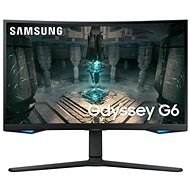
Interested in reviews of 27" Samsung Odyssey G65B? It got 4.4 out of 5 stars from our customers. Find specific customer reviews of 27" Samsung Odyssey G65B below. We will appreciate if you also share your experiences with 27" Samsung Odyssey G65B after purchasing.
As I have to admit, I was a little afraid of the VA screen bending. Fortunately, my fears did not come true and I enjoy a beautiful picture. I can' t even imagine a smaller bend, you can set a bunch of things in the menu, but I left it at default for now. No ghosts or burned pixels, so I' m very satisfied.
I was debating between this monitor and the one from MSI (which was only on order at the time) and in the end I' m satisfied. I sit about 80-90cm from the monitor and no problem with PPI or curvature. A lot of parameters can be changed/adjusted in the settings, you just have to work your way through it a bit. The entire " review" refers to gaming, watching movies and normal PC use, you will probably buy something else for work.
High-quality VA panel with fast response
I haven't noticed any ghosting
Smart functions as added value
Curvature is ok
AMD FreeSync Premium Pro
Pivot
Design processing
DP cable included
if you want to use all the monitor' s capabilities, it takes almost an hour to turn it on for the first time (installation of the app, registration, settings, etc. )
In my opinion, the backlighting has a little delay, so it' s rather a bit distracting
You have to get used to the environment a little, but you can do it
For me as a player satisfaction. At first I connected it via HDMI cable, which didn't work, the image was sometimes jerky even in Windows, after connecting via DisplayPort the image didn't jerk once. It took me a while to get used to the user interface, but it's easy to get used to.
240 "actors"
curved screen - great for games and movies
the lights can be switched on/off
wall mounting option
pivot - you can turn the monitor almost like a steering wheel and turn it right to left as you like
it can be used as a "TV" when connected to a network (ethernet/wifi), as a screen for a console or as a full monitor for a PC
32" - and it's not particularly heavy - about 8Kg
120 "actors" hang out in the dressing room first (you have to send them to the set via the menu)
curved screen - worse for making graphics
a little "rubbery" when handling, shakes for a moment as an aspen (to shake just "poking" the edge of the monitor)
I bought the monitor for my PC/Mac and also for playing on my PS5. When playing on PS5, I noticed image choppiness - quite possibly related to the dead pixels that appeared on day 1. Connecting to a PC and 240hz is great, but it's not worth all the mischief the system and built-in TV does. At the same time, when you have a Samsung TV at home, the remote also turns on the monitor and it's quite annoying. I recommend it to someone who wants a TV and monitor in one, but if you want to work on it, it takes a lot of nerve. I have complained about the monitor and I am waiting for it to be processed. Attached is a photo of the dead pixels after the test.
Picture
240Hz
Backlight
Speakers
Black colours
The built-in TV is more of a detriment than a benefit.
Control all settings with the remote control
System very confused, I saved the color settings to my PC and it always switched back to game mode with different colors
Huge stand, worth buying the arm
Shutting down the screen automatically after 3/4h?
power saver - any change in settings that would increase power consumption will be indicated by the monitor
solid stand, depth is sufficient and at the same time not limiting
Samsung monitors usually take longer to adjust to their OS, but it is not a major disadvantage, you just need to go through the OS calmly and have patience
240Hz at 7900XT ASUS TUF, the best choice, I tested on RTX4090 , 4080 7900XTX this one is richly enough and this monitor, has very nice color reproduction, curvature also although it's not like MSI Q but here it's also symmetrical and especially the monitor which is smart for this money a blast, better not .
For graphic operations I would probably recommend another monitor, even 4K where there is better contrast and RGB color rendering, even a 27" monitor
32" 240Hz
Remote control
TO monitor for 1440p at ULTRA
HDR such a light standard but not bad
Vesa
viewing angles are not great
0 ×Report
Automatic translation
Try our cookies
Alza.cz a. s., Company identification number 27082440, use cookies and other data to ensure the proper functioning of the website and, with your consent, also, among other things, to personalize advertising and the content of our websites. By clicking on the “I understand“ button, you agree to the use of cookies and the transfer of data regarding the behavior on the website for displaying targeted advertising on social networks and advertising networks on other websites.