
This page contains frequently asked questions about Tesla Smart Air Purifier & Fan. If you are considering buying this product, you may want to read the discussion or ask more questions about Tesla Smart Air Purifier & Fan. They will be answered by our specialists.
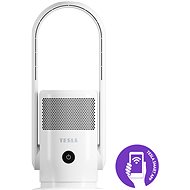
Máte někdo stejný problém že se nechce propojit s aplikací a manuálně nejde zadat jelikož není qr kód pro propojení?
Alza Expert,24. 3. 2025
Dobrý den, děkujeme za Váš dotaz. Pokud máte problém s propojením Tesla Smart Air Purifier & Fan s aplikací a chybí QR kód, zkuste následující kroky:
Resetování zařízení: Podržte tlačítko WiFi na zařízení po dobu 5 sekund, dokud nezačne blikat indikátor WiFi.
Ruční připojení: Otevřete aplikaci Tesla Smart, přejděte do sekce "Přidat zařízení" a vyberte možnost ručního přidání. Zadejte název a heslo vaší WiFi sítě.
Kontrola kompatibility: Ujistěte se, že vaše WiFi síť je 2.4 GHz, protože zařízení nemusí podporovat 5 GHz sítě.
Pokud tyto kroky nepomohou, doporučuji kontaktovat zákaznickou podporu Tesla pro další asistenci.
Se srdečnými pozdravy.
Alza.cz a. s., Company identification number 27082440, uses cookies to ensure the functionality of the website and with your consent also to personalisage the content of our website. By clicking on the “I understand“ button, you agree to the use of cookies and the transfer of data regarding the behavior on the website for displaying targeted advertising on social networks and advertising networks on other websites.