
This page contains frequently asked questions about HP Pavilion Gaming 300. If you are considering buying this product, you may want to read the discussion or ask more questions about HP Pavilion Gaming 300. They will be answered by our specialists.
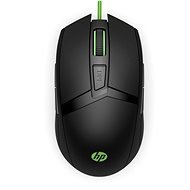
Je to v prilozenom manuali: treba naraz stlacit a podrzat obidva spodne bocne gombiky.
Jakub Kříž, HP Expert,16. 3. 2020
Dobrý den,
změnu lze provést snadno v rámci nastavení OS Windows v ovládacích panelech. Zasílám odkaz se stručným návodem: External Link (záložka "Změna fungování tlačítek myši").
Customer,22. 11. 2019
Dobrý den,je tato myš dobrá k notebooku
Alza Expert,24. 11. 2019
Dobrý den,
děkuji za Váš dotaz.Ano,tato myš je vhodná pro používání notebooku.
V případě jakýchkoliv dalších přání či dotazů nás neváhejte kontaktovat.
Přeji Vám pěkný zbytek dne.
David Musil,8. 5. 2019
dobry den jde tato mys nastavit na 800 dpi?
Jakub Kříž, HP Expert,9. 5. 2019
Dobrý den,
myš nabízí možnost nastavení čtyř různých úrovní citlivosti: 1600 DPI (výchozí nastavení), 2400 DPI, 3500 DPI a 5000 DPI. Nastavení citlivosti na úroveň 800 DPI tedy není možné.
David Musil,8. 5. 2019
dobry den jde tato mys nastavit na 800 dpi?
Jakub Kříž, HP Expert,9. 5. 2019
Dobrý den,
myš nabízí možnost nastavení čtyř různých úrovní citlivosti: 1600 DPI (výchozí nastavení), 2400 DPI, 3500 DPI a 5000 DPI. Nastavení citlivosti na úroveň 800 DPI tedy není možné.
Jakub Jakubec,13. 3. 2019
páni mate na vela myšiach zle zadane udaje širky a vyšky ;)
Jakub Kříž, HP Expert,13. 3. 2019
Dobrý den,
děkujeme za upozornění. Údaje rozměrech budou prověřeny a případně opraveny.
Alza.cz a. s., Company identification number 27082440, uses cookies to ensure the functionality of the website and with your consent also to personalisage the content of our website. By clicking on the “I understand“ button, you agree to the use of cookies and the transfer of data regarding the behavior on the website for displaying targeted advertising on social networks and advertising networks on other websites.