
This page contains frequently asked questions about GIGABYTE X870 GAMING WIFI6. If you are considering buying this product, you may want to read the discussion or ask more questions about GIGABYTE X870 GAMING WIFI6. They will be answered by our specialists.
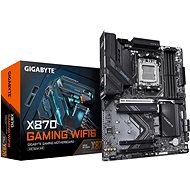
Dosku som nainštaloval a urobil update BIOS.
Wifi štandardne vidí siete naokolo , ale bluetooth napriek tomu že je zapnuté nezobrazí pri pridávaní žiadne zariadenie .
Kde robím chybu ?
Alza Expert,30. 3. 2025
Dobrý den, děkujeme za Váš dotaz.
Pokud Bluetooth na vaší základní desce GIGABYTE X870 GAMING WIFI6 nefunguje správně po aktualizaci BIOSu, může být několik příčin:
Zkontrolujte ovladače: Ujistěte se, že máte nainstalované nejnovější ovladače pro Bluetooth. Můžete je stáhnout z oficiálních stránek GIGABYTE.
Restartujte zařízení: Někdy může pomoci jednoduchý restart počítače.
Zkontrolujte nastavení BIOSu: Ujistěte se, že Bluetooth je povolený v BIOSu. Můžete také zkusit resetovat BIOS na výchozí nastavení.
Aktualizace Windows: Ujistěte se, že máte nainstalované všechny nejnovější aktualizace pro Windows, které mohou obsahovat opravy pro Bluetooth.
Pokud problém přetrvává, doporučuji kontaktovat technickou podporu GIGABYTE pro další asistenci.
Se srdečnými pozdravy.
Alza.cz a. s., Company identification number 27082440, uses cookies to ensure the functionality of the website and with your consent also to personalisage the content of our website. By clicking on the “I understand“ button, you agree to the use of cookies and the transfer of data regarding the behavior on the website for displaying targeted advertising on social networks and advertising networks on other websites.