
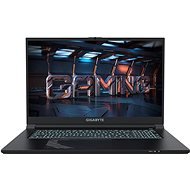
This page contains frequently asked questions about GIGABYTE G7 MF. If you are considering buying this product, you may want to read the discussion or ask more questions about GIGABYTE G7 MF. They will be answered by our specialists.
Dobrý den,
děkuji za dotaz.
Podsvícení klávesnice na laptopu GIGABYTE G7 MF můžete upravit několika způsoby:
1. GIGABYTE Control Center: Tento software vám umožní nastavit různé režimy podsvícení. Pokud jej nemáte nainstalovaný, můžete jej stáhnout z oficiálního webu GIGABYTE. Po instalaci otevřete aplikaci a vyberte požadovaný režim podsvícení.
2. Klávesová zkratka: Můžete také použít klávesovou zkratku. Stiskněte Fn + mezerník (Space). Tato kombinace vám umožní přepínat mezi různými barvami nebo režimy podsvícení.
3. Jas podsvícení: Pokud chcete upravit jas podsvícení, použijte klávesovou zkratku Fn + PgDn pro snížení jasu nebo Fn + PgUp pro zvýšení jasu.
V případě dalších přání či dotazů nás neváhejte kontaktovat.
Se srdečnými pozdravy
Alza.cz a. s., Company identification number 27082440, uses cookies to ensure the functionality of the website and with your consent also to personalisage the content of our website. By clicking on the “I understand“ button, you agree to the use of cookies and the transfer of data regarding the behavior on the website for displaying targeted advertising on social networks and advertising networks on other websites.