
This page contains frequently asked questions about Dell Latitude 7450. If you are considering buying this product, you may want to read the discussion or ask more questions about Dell Latitude 7450. They will be answered by our specialists.
Dobrý den,
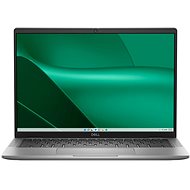
je displej notebooku dotykový a je možné používat dotykové pero? V popisu ani specifikaci jsem toto nedohledal.
Petr Macík, Dell Expert,4. 9. 2025
Dobrý den, displej je nedotykový. Nelze tedy využívat stylus.
Customer,15. 3. 2025
Dobrý den. Jak připojím NTB DELL Latitude k internetu pomocí kabelu? Na NTB není konektor pro RJ? Děkuji.
Alza Expert,16. 3. 2025
Dobrý den!
Pokud váš notebook nemá konektor pro RJ-45 (Ethernet), můžete použít USB Ethernet adaptér. Zde je postup, jak připojit notebook k internetu pomocí kabelu:
Zakoupení USB Ethernet adaptéru: Pořiďte si USB Ethernet adaptér, který je kompatibilní s vaším notebookem. Doporučuji adaptér s USB 3.0 nebo USB-C konektorem.
Připojení adaptéru: Připojte USB Ethernet adaptér do volného USB portu na vašem notebooku.
Připojení Ethernet kabelu: Připojte jeden konec Ethernet kabelu do adaptéru a druhý konec do routeru nebo modemu.
Konfigurace sítě: Po připojení by měl notebook automaticky rozpoznat připojení. Pokud ne, otevřete Nastavení (Settings) > Síť a internet (Network & Internet) > Ethernet a zkontrolujte, zda je připojení aktivní
Přejeme Vám krásný den.
Alza.cz a. s., Company identification number 27082440, uses cookies to ensure the functionality of the website and with your consent also to personalisage the content of our website. By clicking on the “I understand“ button, you agree to the use of cookies and the transfer of data regarding the behavior on the website for displaying targeted advertising on social networks and advertising networks on other websites.