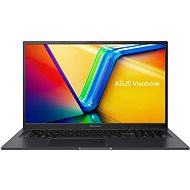
This page contains frequently asked questions about ASUS Vivobook 17X K3704VA-AU107W Indie Black Metallic. If you are considering buying this product, you may want to read the discussion or ask more questions about ASUS Vivobook 17X K3704VA-AU107W Indie Black Metallic. They will be answered by our specialists.
ASUS Vivobook 17X K3704VA-AU107W Indie Black Metallic
Dobrý den, jak na tomto NTB v případě koupě přeinstaluji W11 Home na Pro ??
Děkuji mnohokrát
Alza Expert,30. 1. 2025
Dobrý den,
Pro přeinstalaci Windows 11 Home na Windows 11 Pro na vašem ASUS Vivobook 17X postupujte takto:
1. Zakupte licenci Windows 11 Pro: Můžete ji zakoupit přes Microsoft Store nebo od autorizovaného prodejce.
2. Otevřete Nastavení: Klikněte na Start > Nastavení > Systém > O systému.
3. Změňte kód Product Key: Klikněte na "Změnit kód Product Key" a zadejte nový kód pro Windows 11 Pro.
4. Postupujte podle pokynů**: Systém vás provede zbytkem procesu a po dokončení se zařízení restartuje.
Tímto způsobem by měl být váš systém upgradován na Windows 11 Pro.
Miroslav Solar,27. 2. 2024
zdravim proaim info o grafickej karte velkost a je integrovana dakujem
ASUS Computer Czech Republic s.r.o., Asus Expert,27. 2. 2024
Dobrý den,
děkujeme za Váš dotaz.
Ano, jedná se o integrovanou grafiku viz web: External Link Name‡ Intel® Iris® Xe Graphics eligible
Graphics Max Dynamic Frequency 1.45 GHz
Přejeme Vám hezký zbytek dne
Alza.cz a. s., Company identification number 27082440, uses cookies to ensure the functionality of the website and with your consent also to personalisage the content of our website. By clicking on the “I understand“ button, you agree to the use of cookies and the transfer of data regarding the behavior on the website for displaying targeted advertising on social networks and advertising networks on other websites.