
This page contains frequently asked questions about ASUS ROG STRIX B365-G GAMING. If you are considering buying this product, you may want to read the discussion or ask more questions about ASUS ROG STRIX B365-G GAMING. They will be answered by our specialists.
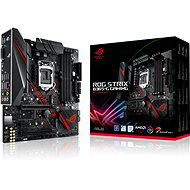
Dobrý den, snažím se rozchodit na desce spodní M.2. slot, ale v BIOSU druhý disk stále nevidím. Nemusí se někde něco přepnout nebo nastavit, aby spodní slot fungoval?
Alza Expert,17. 7. 2020
Dobrý den,
děkuji za dotaz. Jelikož se jedná o NVME/PCIe a není to připojené přez SATU ale ve Windows by měl být vidět.
V případě jakýchkoliv dalších přání či dotazů nás neváhejte kontaktovat.
Přeji Vám pěkný zbytek dne.
Dobrý den,
ano, procesor je s danou deskou kompatibilní.
V případě jakýchkoliv dalších přání či dotazů nás neváhejte kontaktovat.
Přeji Vám pěkný zbytek dne.
Customer,20. 6. 2020
External Link tu je CPU support tej dosky, ked tam vidite i7 7700K tak vám zatlieskam :D kedze tato doska je pre 8 a 9 gen cpu.
Norman Koller,8. 6. 2020
Nie :)
Customer,8. 4. 2020
Deska má psanou podporu RAID, platí to i pro oba M.2 sloty? Nejde mi nastavit RAID. Instalačka W10 jej nevidí.
Václav Krejčí,9. 4. 2020
RAID je potřeba postavit tak, že jsou v něm všechny disky SATA nebo všechny disky M.2. Pokud jsou M.2, tak asi musí být NVMe, tedy využívat PCIe. Možná je potřeba nastavit režim PCIe na x4 navtvrdo v UEFI/BIOSu. Bývá tam AUTO.
Alza.cz a. s., Company identification number 27082440, use cookies and other data to ensure the proper functioning of the website and, with your consent, also, among other things, to personalize advertising and the content of our websites. By clicking on the “I understand“ button, you agree to the use of cookies and the transfer of data regarding the behavior on the website for displaying targeted advertising on social networks and advertising networks on other websites.