
Questions and answers: ASUS Pro AIO A6421UKB-BC107M black
This page contains frequently asked questions about ASUS Pro AIO A6421UKB-BC107M black. If you are considering buying this product, you may want to read the discussion or ask more questions about ASUS Pro AIO A6421UKB-BC107M black. They will be answered by our specialists.
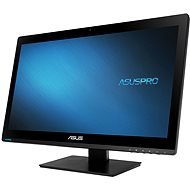
ASUS Pro AIO A6421UKB-BC107M black
Discontinued
Accessories
Help and manuals
1
20. 3. 2017
Ani ne tak otázka, jako spíše pomoc všem, kdo budou chtít na podobné zařízení instalovat Windows 7 Professional 32 bit (kvůli DOS účetnictví a skladu). Tak postup vytvoření instalačního USB disku-asi den experimentování, když návod se liší v anglické i české verzi, ale hlavně instalace selže, protože instalátor nenajde myš a klávesnici:
1) pomocí přiloženého Asus EZ assistant vytvořte bootovací USB disk. Budete potřebovat počítač a dvě DVD mechaniky.
2) stáhněte si Intel Windows Creator USB 3.0 - External Link a rozbalte na disku
3) v adresáři USB_drivers / x86 nahraďte soubory podobnými, které najdete v podobném adresáři na DVD od Asusu
4) spusťte Intel Creator
5) Nyní je vytvořená instalačka, tu připojte do portu na zadní straně, stejně tak jako myš a klávesnici. Porty na boku totiž po prvním restartu během instalace přestanou fungovat. A to až do instalace ovladačů z ASUS DVD.
Takto to fungovalo u třech A6421.PetrZ