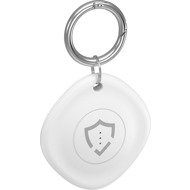
This page contains frequently asked questions about AlzaGuard Hero Tag with Find My Device white. If you are considering buying this product, you may want to read the discussion or ask more questions about AlzaGuard Hero Tag with Find My Device white. They will be answered by our specialists.
Dobrý den,
Připojení k iOS zařízení: Otevřete aplikaci Najít (Find My) na iPhonu, iPadu nebo Macu s nainstalovaným iOS a přihlášeným Apple ID.
Přidání zařízení: V aplikaci Najít klikněte na Přidat zařízení a vyberte Přidat předmět. Tag by měl být automaticky detekován přes Bluetooth (verze 5.3).
Spárování: Telefon se s tagem spojí, pokud je v dosahu (cca 20 m). Postupujte podle pokynů na obrazovce pro pojmenování tagu a přiřazení k vašemu Apple ID.
Kontrola: Po spárování se tag objeví v aplikaci Najít, kde můžete sledovat jeho polohu, aktivovat zvukovou signalizaci nebo nastavit režim ztráty.
V případě dalších přání či dotazů nás neváhejte kontaktovat.
Se srdečnými pozdravy
Alza.cz a. s., Company identification number 27082440, use cookies and other data to ensure the proper functioning of the website and, with your consent, also, among other things, to personalize advertising and the content of our websites. By clicking on the “I understand“ button, you agree to the use of cookies and the transfer of data regarding the behavior on the website for displaying targeted advertising on social networks and advertising networks on other websites.