
This page contains frequently asked questions about Alienware AW720M gaming mouse, Dark Side of the Moon. If you are considering buying this product, you may want to read the discussion or ask more questions about Alienware AW720M gaming mouse, Dark Side of the Moon. They will be answered by our specialists.
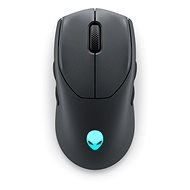
Alienware AW720M gaming mouse, Dark Side of the Moon
Dobrý den,
mám už druhou tuto myš a opět nefungují navigační tlačítka na její pravé straně. Proto jsem tu první vrátil následující den po té, co přišla. Myslel jsem, že mám vadný kus.
Prosím, mohli byste vyzkoušet nějaké, co máte skladem?
Děkuji
Petr Macík, Dell Expert,9. 6. 2023
Dobrý den, zkontrolujte nastavení tlačítek v aplikaci Alienware commnad center. Připadně i další ovladače a firmware. Odkazy na aplikace a dokumentace zde: External Link
Customer,10. 6. 2023
Vše aktuální, levá navigační tlačítka fungovala, aniž bych cokoliv instalovat, jen jsem ji připojil a tlačítka fungovala!
V Alien command centru nejde nic ohledně navigace na tlačítka nastavit! Jde jen přiřadit v makru levý, pravý klik, tlačítko myši 3,4,5, Sniper mode(nízké dpi) :/
Proč by to mělo být závislé na firmwaru? Myš je dělaná jako symetrická, tak by tlačítka měla fungovat ihned a bez nějakého nastavení! Jinak je to k ničemu.
Customer,11. 6. 2023
Tak opravdu, byť je to trochu proti určité logice, kdy je myš symetrická, se musí v tom programu nastavit ta pravá navigační tlačítka natvrdo. Tedy se musí nastavit makro a v aplikaci přetáhnout volby MouseButton 4 a MouseButton5 na tlačítka na pravé straně myši, pak to začne fungovat.
Alza.cz a. s., Company identification number 27082440, uses cookies to ensure the functionality of the website and with your consent also to personalisage the content of our website. By clicking on the “I understand“ button, you agree to the use of cookies and the transfer of data regarding the behavior on the website for displaying targeted advertising on social networks and advertising networks on other websites.