
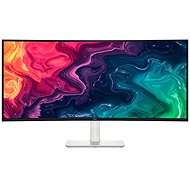
This page contains frequently asked questions about 34" Dell 34 Plus (S3425DW). If you are considering buying this product, you may want to read the discussion or ask more questions about 34" Dell 34 Plus (S3425DW). They will be answered by our specialists.
Dobrý den, lze k tomuto monitoru připojit klávesnici, myš pro ovládání notebooku přes usb-c ?
Petr Macík, Dell Expert,29. 11. 2025
Dobrý den, S3425DW má 1x výstupní port USB-C 5 Gb/s (alternativní režim DisplayPort 1.4, napájení až 65 W) – Podporuje až 3440 x 1440, 120 Hz, HDR, AdaptiveSync. To znamená, že pokud přes tento USB-C port připojíte k podporovanému notebooku, budou vám potom fungovat i dva USB-A porty + 1x datový na monitoru. Do těchto portů pak můžete umístnit USB vysílač (klávesnici a myš). Jedno USB-A+datové USB-C je vysouvací v levé přední časti monitru (po stlačení). Nevím jestli to má být bezdrátový set, nebo drátové provedení, pokud drátové, tak zvažte, jestli by to esteticky vypadalo hezky po připojení.
Jan Humpl,29. 11. 2025
takže funguje jako USB Hub jako má třeba Samsung nebo AOC?
Customer,29. 11. 2025
Ano, funguje jako hub, pokud je připojen k notebooku přes USB-C.
Jan Humpl,29. 11. 2025
je nějaký rozdíl, pokud má počítač rozhraní Thunderbolt4 ? Bude s tímto monitorem komunikovat?
Customer,30. 11. 2025
Thunderbolt je rychlejší rozhraní než USB-C, takže ano, je plně kompatabilní a bude bez problému fungovat.
Alza.cz a. s., Company identification number 27082440, uses cookies to ensure the functionality of the website and with your consent also to personalisage the content of our website. By clicking on the “I understand“ button, you agree to the use of cookies and the transfer of data regarding the behavior on the website for displaying targeted advertising on social networks and advertising networks on other websites.