
This page contains frequently asked questions about 27" Philips 27E1N1600AE. If you are considering buying this product, you may want to read the discussion or ask more questions about 27" Philips 27E1N1600AE. They will be answered by our specialists.
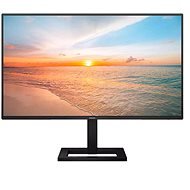
Dobrý den, jak se připojuje a asi i nastavuje periferie ( myš, klávesnice ) do USB A portů monitoru 27" Philips 27E1N1600AE ? Běžné vložení jako u PC nefunguje. Děkuji za info .
Filip Stojanovic,22. 10. 2025
The monitor's USB hub works but it might also be useful to you to enable USB standby mode, this will allow the monitor to power on the peripherals even if nothing is sending a picture and the monitor is in standby
Alza Expert,10. 2. 2025
Děkujeme za váš dotaz. Pro připojení myši a klávesnice do USB A portů monitoru Philips 27E1N1600AE je obvykle potřeba, aby monitor podporoval funkci USB hubu. Pokud běžné připojení nefunguje, doporučujeme zkontrolovat, zda je monitor správně nastaven a zda jsou porty funkční. Můžete také zkusit připojit periférie přímo k počítači, abyste ověřili, zda jsou v pořádku.
Alza.cz a. s., Company identification number 27082440, uses cookies to ensure the functionality of the website and with your consent also to personalisage the content of our website. By clicking on the “I understand“ button, you agree to the use of cookies and the transfer of data regarding the behavior on the website for displaying targeted advertising on social networks and advertising networks on other websites.